PC Game Joysticks
PC game joysticks and flight sticks for PC gaming and simulators, spanning budget through premium models with force-feedback, HOTAS and arcade-style controllers. 61 products indexed, average rating 4.34, price range about $35–$899, with brands like aikeec represented
Top Products

Sanwa JLF-TP-8YT Joystick + OBSF-30 Button Bundle (Red) for Arcade
SANWA
Mid-Range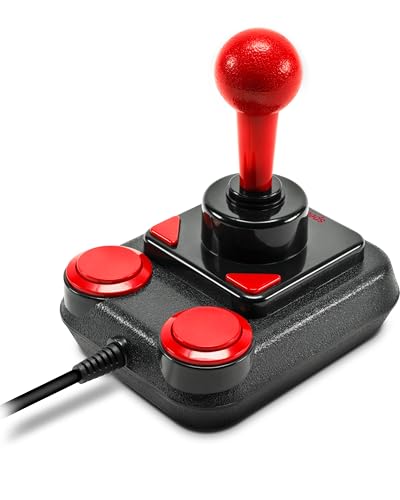
SL-650212-BKRD Competition PRO EXTRA USB Joystick Anniversary Edition
Speedlink
Mid-Range
aikeec 64Bit USB Handbrake for sim racing G25/27/29 etc
aikeec
Mid-Range
aikeec 64Bit PC USB Handbrake for sim racing
aikeec
Mid-Range
aikeec 64Bit USB Handbrake for PC (G27/G29/G920/G923/T500/T300) with 2m cable
aikeec
Mid-Range
USB shifter for ATS/ETS2 with 18 gears, compatible with G27/G29
aikeec
Mid-Range
DIWANGUS Foldable HOTAS Mount for Flight Joysticks
DIWANGUS
Mid-Range
GameSir G7 SE wired controller for Xbox & Windows
GameSir
Mid-Range
Shkalacar USB Gearshift Knob for Logitech G29/G27/G25/G920
Shkalacar
Mid-Range
Hikig 2-Player DIY Kit with LED USB Encoder & Arcade Joysticks (Red & Blue)
Hikig
Mid-Range
Desk mount for flight sim joysticks and hotas systems
wuutyty
Mid-Range
Hikig Desk Mount for Flight Joysticks & HOTAS (2 Pack)
Hikig
Mid-Range
Sanwa 12 pcs OBSF-30 Push Button 30mm for Arcade Joystick
SANWA
Budget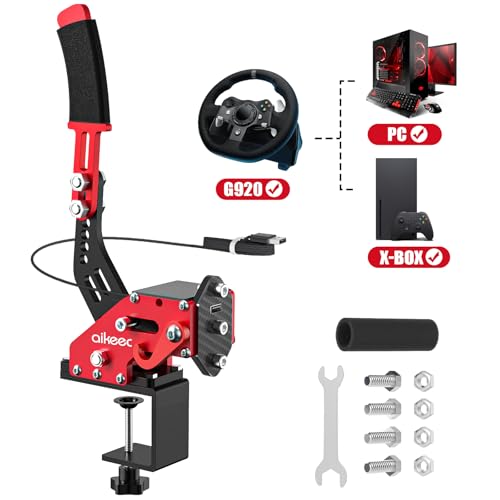
USB Handbrake Clamp for PC Sim Racing (G25/G27/G29/etc.)
aikeec
Mid-Range
64 Bit USB Handbrake for PC sim racing
aikeec
Mid-Range
J-PEIN Flight Joystick Mount for HOTAS, Universal Desk Clamp
PEIN Gear Mount
Mid-Range
64 Bit USB Handbrake with Clamp for PC Sim Racing
aikeec
Mid-Range
RULLINE ATS Shifter for G29/G27/G25/G920, TH8A, Fanatec SQ
RULLINE
Mid-Range
Reashy Joystick Mount for desktop setups
Reashy
Mid-Range
Reashy Hotas Mount for Joysticks
Reashy
Mid-Range
RACGTING HOTAS Mount for Logitech X56/X52/X52 Pro and Thrustmaster
RACGTING
Mid-Range
AUGFAZ USB Shifter Knob for ATS/ETS2 and G-series pedestals
AUGFAZ
Budget
Maeysiph USB ATS Shifter for ATS & ETS2 (PC) with 18 gears
Maeysiph
Mid-Range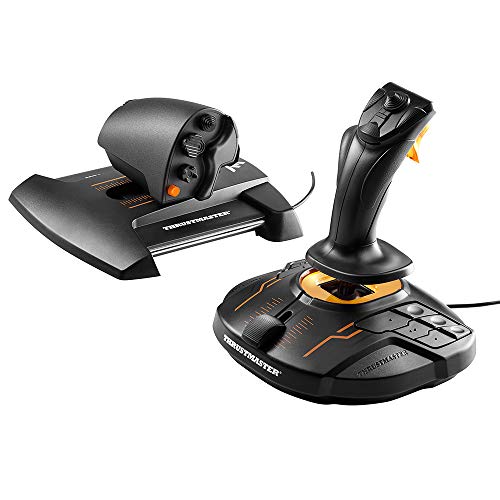
Thrustmaster T16000M FCS HOTAS for PC
Thrustmaster VG
PremiumRoundups
Frequently Asked Questions
How do I choose the right joystick for PC gaming?
Choose based on intended use (flight sims, space sims, arcade), compatibility with your OS and games, control count (buttons, hat switch, throttle), sensor type (hall effect or potentiometer), and build quality; consider ergonomics and whether you need modular parts like detachable throttles
What should I look for in terms of compatibility and connectivity?
Check that the joystick supports your PC operating system and that games you play have joystick or controller support; most units connect via USB and use standard HID drivers, but confirm any required software or drivers for advanced programming
Are hall-effect sensors worth paying more for compared to potentiometers?
Hall-effect sensors use magnetic sensing and generally provide smoother, more durable and drift-resistant input than potentiometers, but they usually increase cost; they are preferable for long-term accuracy in flight and space sims
What price range should I expect and how does price relate to features?
PC game joysticks commonly range from budget models under $50 to premium units over several hundred dollars; higher prices typically correspond to better sensors, more programmability, sturdier materials, force feedback, and additional modules like throttles or rudder pedals
How important is programmability and software support?
Programmability lets you map buttons, adjust sensitivity/curves, create macros, and save profiles for different games; reliable manufacturer software or support for third-party mapping tools improves flexibility and makes complex sims easier to configure
What should I consider about ergonomics and build quality?
Look for a comfortable grip size and shape, adjustable hand positioning or mounting options, a stable base or clamp for desk mounting, and durable materials—metal components and reinforced plastics typically last longer under heavy use
How do I maintain and care for a joystick to extend its lifespan?
Keep the unit clean and dust-free, avoid exposing it to moisture, use protective covers when not in use, periodically check and tighten mounts, and follow manufacturer instructions for firmware updates and calibration to prevent drift and ensure accurate input