PC Gaming Keyboards
Wired and wireless PC gaming keyboards with mechanical, membrane, and hot-swappable switch options designed for desktop gaming and productivity; offerings span budget through premium models. The category aggregates 1,360 products averaging a 4.46 rating, with prices roughly $32–$590 and brands like Keychron and Redragon represented
Top Products

Redragon K552P Mechanical Gaming Keyboard
Redragon
Mid-Range
HyperX Alloy Origins 60% Mechanical Keyboard
HyperX
Mid-Range
Redragon K552P Mechanical Gaming Keyboard (87-key, RGB, hot-swappable red switches)
Redragon
Mid-Range
Redragon K552P TKL Mechanical Keyboard
Redragon
Mid-Range
Redragon S101-3 PRO programmable keyboard and mouse combo
Redragon
Mid-Range
SteelSeries Apex 3 RGB Gaming Keyboard
SteelSeries
Mid-Range
Redragon K552 87-key Mechanical Gaming Keyboard
Redragon
Budget
Redragon K552 87-Key Mechanical Gaming Keyboard
Redragon
Budget
Corsair K55 CORE RGB Gaming Keyboard
Corsair
Mid-Range
Redragon Kumara 60% Mechanical Keyboard 87-key Cherry Blue-style
Redragon
Mid-Range
Redragon S107 Gaming Keyboard & Mouse Combo
Redragon
Budget
RK61 60% mechanical keyboard with red switches, RGB, hot-swappable
RK ROYAL KLUDGE
Mid-Range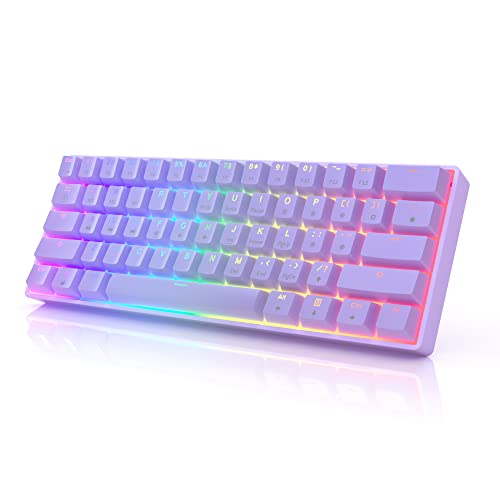
HK GAMING GK61s 61-key RGB Mechanical Keyboard
HK GAMING
Mid-Range
Apex 3 TKL RGB Keyboard (Black) - 8-zone illumination, water & dust resistant
SteelSeries
Mid-Range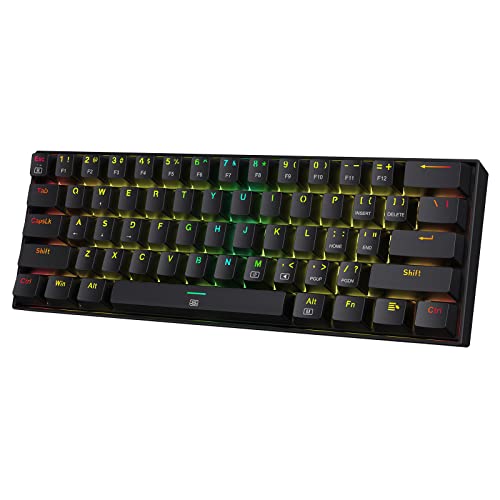
Redragon K630 Dragonborn 60% Mechanical Keyboard
Redragon
Mid-Range
TECWARE Phantom 87 Key Mechanical Keyboard
TECWARE
Mid-Range
TECWARE Phantom 87 Key Mechanical Keyboard
TECWARE
Mid-Range
TECKNET USB wired gaming keyboard with 15-zone RGB illumination
TECKNET
Mid-Range
RK61 60% Mechanical Keyboard with RGB, QMK/VIA, Brown Switch
RK ROYAL KLUDGE
Mid-Range
Redragon S107 Gaming Keyboard and Mouse Combo
Redragon
Mid-Range
Redragon K552 87-Key Mechanical Keyboard
Redragon
Budget
HyperX Alloy Core RGB Membrane Gaming Keyboard
HyperX
Mid-Range
TECWARE Phantom 87 Key Mechanical Keyboard
TECWARE
Mid-Range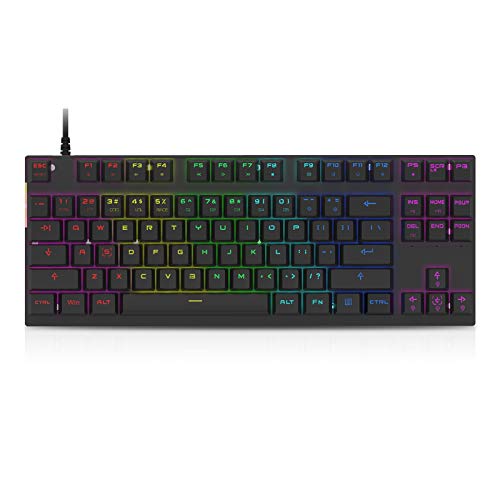
MOTOSPEED Mechanical Gaming Keyboard 87 Keys RGB
MOTOSPEED
Mid-RangeRoundups
Frequently Asked Questions
How do I choose between mechanical and membrane PC gaming keyboards?
Mechanical keyboards use individual switches under each key for tactile feedback, durability, and faster actuation, while membrane keyboards are generally quieter and less expensive; choose mechanical if you prioritize responsiveness and customizability, or membrane if you want a lower cost and quieter typing
What switch types and actuation forces should I consider for gaming?
Switches vary by feel and actuation force: linear switches are smooth and good for fast repeated keystrokes, tactile switches give a bump for feedback, and clicky switches add an audible click; lower actuation force (around 35–45g) suits fast-paced gaming, while higher force offers more deliberate typing
How important is build quality and key rollover for gaming?
Look for solid construction (metal or reinforced plastic) and features like N-key rollover or at least 6-key rollover to ensure simultaneous key presses register reliably during complex inputs; braided cables and hot-swappable switches can improve durability and maintenance
What extra features are worth paying for on gaming keyboards?
Useful extras include RGB or per-key backlighting for visibility and customization, programmable macros and profiles for complex commands, detachable wrist rests for comfort, and USB passthrough or dedicated media controls depending on your workflow
How do I pick the right keyboard size and layout (full, TKL, compact)?
Full-size keyboards include a numpad for data entry, tenkeyless (TKL) omits the numpad for more mouse space, and compact layouts (65%, 60%) further reduce keys for portability and desk real estate; choose based on whether you need a numpad and how much desk space or portability you want
Are wireless gaming keyboards reliable for competitive play?
Modern wireless keyboards using low-latency protocols can be suitable for gaming and everyday use, but wired connections still offer the lowest latency and no battery dependence, so wired is preferred for esports-level competition while wireless is fine for casual and convenience-oriented setups
How should I care for and maintain a gaming keyboard?
Regularly clean keycaps and sweep debris, use compressed air for dust, remove and wash keycaps if supported, keep liquids away, and update firmware when available; for mechanical keyboards, consider lubricating stabilizers or replacing switches if performance declines