PC Gaming Mice
A selection of PC gaming mice including wired, wireless, esports-focused, and ergonomic models tailored for precision tracking and programmable buttons. The category spans budget through premium options (about $32–$580, average ~(price varies)) and features brands like Razer and Logitech G among 362 indexed products with an average rating of 4.42
Top Products
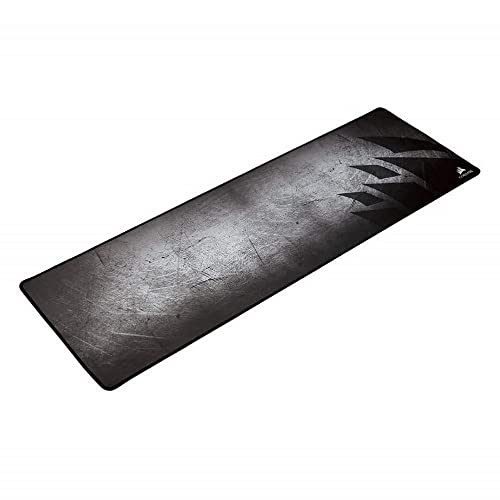
Corsair MM300 Anti-Fray Cloth Gaming Mouse Pad
Corsair
Budget
Glorious Model D Wired Gaming Mouse (68g, white) with honeycomb design
Glorious
Mid-Range
Glorious Model O wired gaming mouse (ambidextrous, 67g, matte black)
Glorious
Mid-Range
Glorious Model D wired gaming mouse
Glorious
Mid-Range
Logitech G502 HERO wired gaming mouse
Logitech G
Budget
Logitech G305 Lightspeed Wireless Gaming Mouse
Logitech G
Mid-Range
Logitech G305 LIGHTSPEED Wireless Gaming Mouse
Logitech G
Mid-Range
UtechSmart Venus Gaming Mouse RGB Wired (16400 DPI) MMO
UtechSmart
Budget
Logitech G203 wired gaming mouse, 8000 DPI, RGB light, 6 buttons
Logitech G
Mid-Range
Corsair MM350 PRO Premium Spill-Proof Cloth Gaming Mouse Pad Extended XL - Black
Corsair
Mid-Range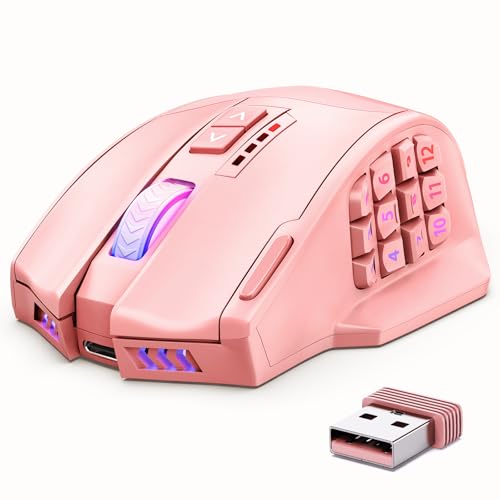
UtechSmart Venus Pro Wireless MMO Gaming Mouse
UtechSmart
Mid-Range
Logitech G305 LIGHTSPEED Wireless Mouse
Logitech G
Mid-Range
UtechSmart Venus Pro Wireless MMO Gaming Mouse
UtechSmart
Mid-Range
Logitech G305 Wireless Gaming Mouse (Lilac) with HERO 12K sensor
Logitech G
Mid-Range
Glorious Model O 2 wired gaming mouse (ambidextrous, 59g, 26k DPI)
Glorious
Mid-Range
UtechSmart Venus gaming mouse RGB wired
UtechSmart
Mid-Range
Glorious Model O wired gaming mouse, Ambidextrous, 67g
Glorious
Mid-Range
UtechSmart Venus Pro Wireless MMO Gaming Mouse
UtechSmart
Mid-Range
Razer Firefly Hard V2 RGB Gaming Mouse Pad
Razer
Mid-Range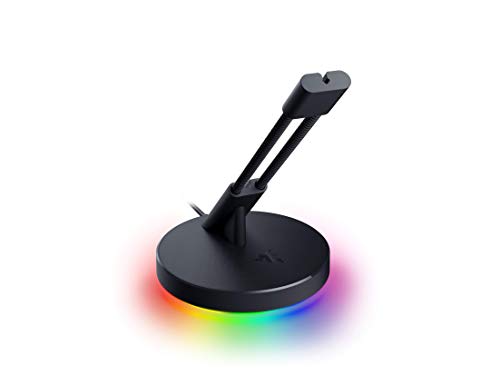
Razer Gaming Mouse Bungee V3 Chroma
Razer
Mid-Range
Redragon M908 gaming mouse with 12 side buttons
Redragon
Budget
Redragon M612AK PRO RGB Gaming Mouse
Redragon
Budget
Lenovo Legion M300s wired gaming mouse
Lenovo
Budget
Razer DeathAdder V2 X HyperSpeed wireless gaming mouse
Razer
Mid-RangeRoundups
Frequently Asked Questions
How do I choose the right sensor and DPI for PC gaming mice?
Look for optical sensors with high true DPI and low reported acceleration; 800–1600 DPI suits most FPS players for precision, while 1600–4000+ DPI can be helpful for high-resolution or multi-monitor setups. Also check tracking quality (no jitter at your intended DPI) and whether the mouse lets you adjust DPI profiles onboard
Wired or wireless — which is better for competitive gaming?
Modern wireless gaming mice often match wired latency and reliability thanks to low-latency protocols and higher polling rates, making them a solid choice for competitive play; wired mice still eliminate battery concerns and can be slightly cheaper, so choose wired for uninterrupted power/budget or wireless for cable-free movement
What features should I prioritize based on my grip style and hand size?
Match mouse size and shape to your grip: smaller, lightweight mice typically suit fingertip or claw grips, while larger ergonomic shapes favor palm grips; check listed dimensions and weight and look for contouring or thumb rests if you need support for long sessions
How many programmable buttons do I need and what are common uses?
Most gamers benefit from 3–8 programmable buttons: primary/secondary buttons plus a textured thumb button or two for weapon swap, macros, or utility commands; MMO/streamers may prefer more buttons for expanded macros and profile switching
How important is polling rate and what should I choose?
Polling rate (Hz) is how often the mouse reports to the PC; 500–1000 Hz is common and provides smooth input for gaming, while lower rates can introduce input lag; ensure your system and USB port support the selected polling rate
What should I know about battery life and charging for wireless mice?
Battery life varies by sensor, LED usage, and wireless tech; expect ranges from 10–100+ hours in typical products, and look for features like quick-charge or passthrough charging. Consider whether the mouse supports wired operation while charging to avoid downtime
How do I maintain and clean a gaming mouse to extend its lifespan?
Regularly remove dirt from the sensor and feet with compressed air or a soft brush, wipe the body with a lightly damp cloth, and avoid harsh solvents; replace mouse feet (skates) or grips if worn and keep firmware/drivers updated for optimal performance