PlayStation Accessories
Accessories for PlayStation consoles and controllers, including controllers, charging docks, headsets, adapters, and racing wheels. 137 products indexed with an average rating of 4.47 and price range roughly $33–$459, featuring brands like Sony and third-party makers such as PEYANZ
Top Products

Logitech G305 Lightspeed Wireless Gaming Mouse
Logitech G
Mid-Range
Wireless Gaming Headset with USB-A/C, 50mm speakers, flip mic
Ozeino
Budget
PlayStation DualSense Wireless Controller - Starlight Blue
Sony
Mid-Range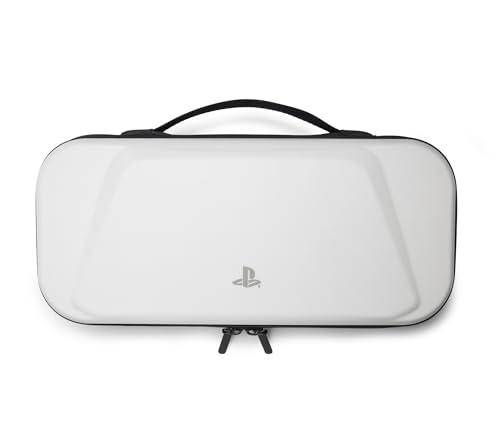
PowerA PS Portal Remote Player hard shell case
PowerA
Budget
DualShock 4 Back Button Attachment for PlayStation 4
Playstation
Mid-Range
PlayStation DualSense Wireless Controller - Gray Camouflage
Sony
Mid-Range
Faceplate with RGB LED for PS5 Disc Edition
Dobewingdelou
Mid-Range
PS5 Digital Edition face plate replacement shell (black) by VLANMON
VLANMON
Budget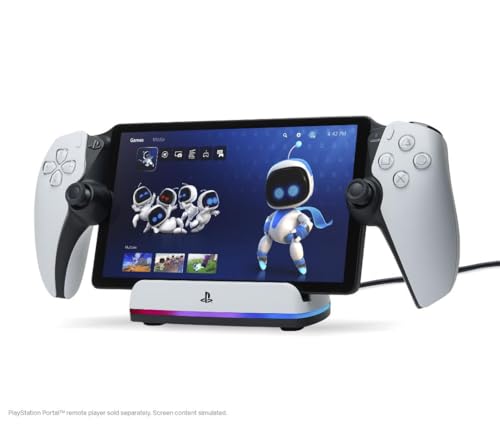
PowerA Charging Station for PlayStation Portal remote player
PowerA
Budget
Logitech G Driving Force Shifter (G29/G920) for wheels
Logitech G
Mid-Range
Carrying case for PS Portal Remote Player
ZENACCE
Budget
Hard carrying case bundle for PlayStation Portal
ZENACCE
Mid-Range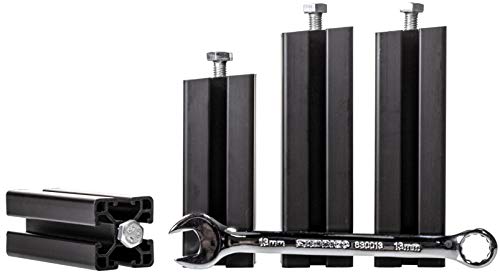
Seat Lift Kit | Seat Spacers
OpenWheeler
Mid-Range
HyperX Cloud Stinger 2 Gaming Headset for PlayStation
HyperX
Mid-Range
PEGZONE modular headphone and controller holder
PEGZONE
Mid-Range
Ezgnuk Game Backpack for PS5 Console
Ezgnuk
Budget
IAMJOY Gaming Earbuds with 2.4GHz & Bluetooth, 20ms latency
IAMJOY
Mid-Range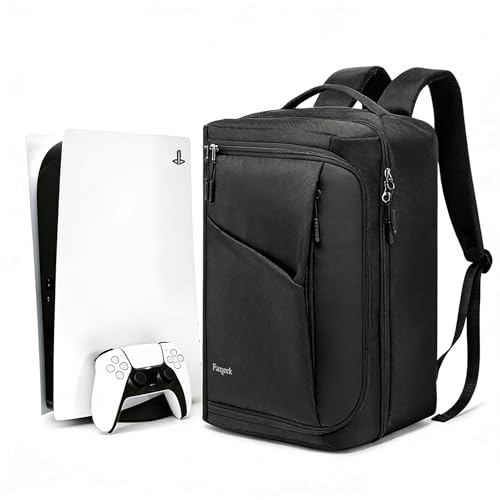
Ezgnuk Game Backpack for PS5 Console
Ezgnuk
Budget
FacePlates for PS5 Slim Disc Edition – Premium ABS Replacement Plates
Wedorat
Budget
Slim Disc Edition Faceplate for PS5 Slim (White) – IMOFEE
IMOFEE
Mid-Range
Sony DualShock 4 back button controller attachment
Sony
Mid-Range
ASFSKY Video Game Storage Tower - 24 Game Holder Stand with 2 Hooks
ASFSKY
Budget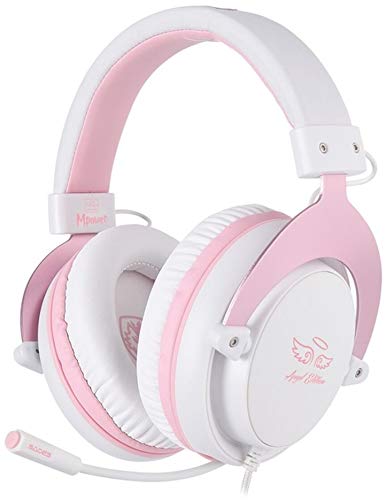
SADES MPOWER Stereo Gaming Headset – multi-platform
USOTSO
Mid-Range
BOYI 65% Tri-Mode Mechanical Keyboard (Gateron Red) Gasket Mounted
BOYI
Mid-RangeRoundups
Frequently Asked Questions
How do I choose the right PlayStation controller or accessory for my console model?
Check compatibility with your PlayStation generation (PS5 vs PS4) and controller model, confirm wired vs wireless support, and look for features you need such as haptic feedback, extra programmable buttons, latency-optimized wireless protocols, or official licensing for guaranteed compatibility
What are the main categories of PlayStation accessories and which provide the biggest impact on gameplay?
Common categories include controllers and pads, charging docks, headsets, racing wheels, and adapters/hubs; controllers with low latency and programmable buttons, high-quality headsets for directional audio, and stable racing wheels or fight sticks typically have the largest gameplay impact
How much should I expect to spend on PlayStation accessories?
Prices vary by category and features: budget accessories often fall under $50, mid-range options commonly range from $50–$150, and premium specialized gear (advanced wheels, pro controllers, high-end headsets) can be several hundred dollars; the category average is around $80
Are third-party accessories safe to use with my PlayStation and do they affect warranty?
Most third-party accessories are safe if they state compatibility and use standard interfaces, but they may not be officially licensed; using them generally does not void your console warranty, though manufacturer warranties for the accessory itself depend on its seller and brand policies
What features should I look for in a PlayStation gaming headset?
Look for low-latency connection (wired or optimized wireless), comfortable fit for long sessions, clear directional audio or virtual surround support, a noise-cancelling microphone, and compatibility with your PlayStation model and any USB or optical input requirements
How do I care for and maintain PlayStation accessories to extend their lifespan?
Keep accessories clean and dry, store cables coiled without tight bends, charge batteries according to manufacturer guidance to avoid overcharging, update firmware when available, and replace worn pads or grips to maintain performance
Do I need adapters or hubs to use multiple accessories at once?
You may need USB hubs, Bluetooth adapters, or specialized dongles if you plan to connect several wired controllers, headsets, or legacy peripherals simultaneously; verify that the hub or adapter supports the required power, data rates, and PlayStation compatibility