Signal Converters
Signal Converters covers adapters and interface units that translate audio, video, and digital signals between formats (HDMI, optical, coaxial, USB, etc.). The 10-product category averages a 4.31 rating and spans budget to mid-range options (roughly $33–$130), with brands like Rockville represented
Top Products

SMSL PO100 2024 XU316 DAC, USB to Optical/Coaxial Converter
AOSHIDA
Budget
PO100 PRO MQA DDC XMOS USB DAC with I2S/optical/Coax outputs
AOSHIDA
Mid-Range
Rockville 24-bit/192kHz DAC USB/Optical/RCA Headphone Amp
Rockville
Mid-Range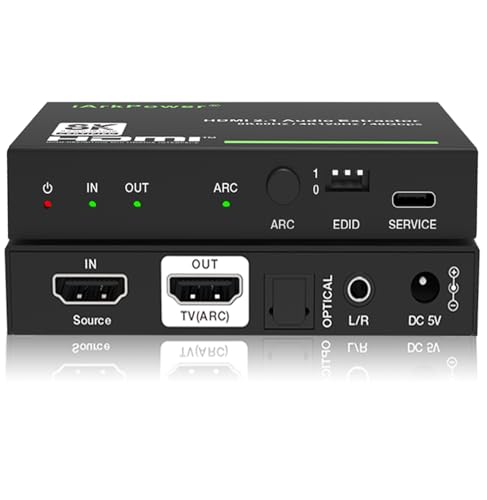
HDMI 2.1 Audio Extractor with Optical & 3.5mm Output
iArkPower
Mid-Range
HDMI ARC audio extractor with optical to RCA DAC
ArbaroClara
Budget
J-Tech Digital 8K HDMI Audio Extractor with eARC ARC
J-Tech Digital
Mid-Range
Rockville DAC: USB/Optical/Coax/RCA 24-bit up to 192kHz
Rockville
Mid-Range
OREI eARC 4K HDMI Audio Extractor (HDA-927 Upgraded)
OREI
Mid-Range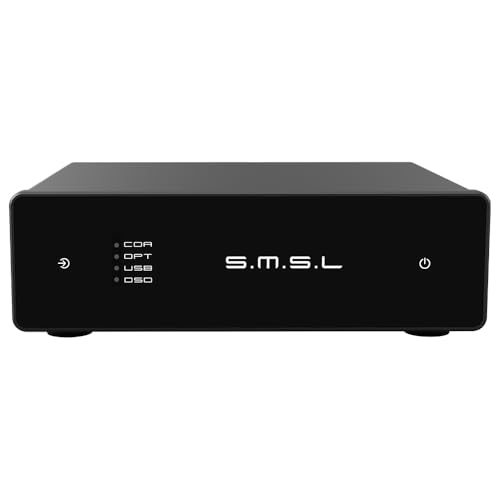
SMSL D1 Hi-Res DAC with ROHM BD34352EKV, multiple inputs
S.M.S.L
Mid-Range
MOONDROP Dawn Pro Decoder Headphone Amplifier
Moondrop
Mid-RangeRoundups
Frequently Asked Questions
How do I choose the right type of signal converter for my devices?
Match the converter to the signal types you need to convert (e.g., HDMI to VGA, analog to digital, USB to serial), verify supported resolutions and refresh rates for video, and check connector types and power requirements to ensure compatibility with your source and display or receiver
What specs matter most for video signal converters?
Look for supported input/output formats, maximum resolution and frame rate (e.g., 1080p, 4K@30/60Hz), HDCP/DRM support if required, audio pass-through options, and latency figures if you need real-time performance
Are there budget options and what trade-offs should I expect?
Budget converters are commonly available under $50 and typically handle basic conversions at lower resolutions with fewer features; trade-offs can include limited resolution support, lack of audio conversion, no HDCP support, and simpler build quality
How do I ensure audio is handled correctly when converting video signals?
Check whether the converter passes embedded audio, extracts audio to separate outputs (optical, analog, or HDMI), and supports the audio formats you need (stereo, Dolby Digital, etc.); some converters require separate settings or cables for audio output
What power and cable requirements should I consider?
Confirm whether the unit is bus-powered via the source connection or needs an external power adapter, and use quality cables rated for the signal type and length to avoid signal degradation—active converters are typically required for long runs or conversion between different signal standards
How reliable are signal converters and what should I do if I see issues?
Converter reliability varies by design and brand; common troubleshooting steps include testing with known-good cables, verifying input/output settings and resolutions, power-cycling the unit, and trying alternative source or display devices to isolate the fault
What warranty and return considerations are typical for this category?
Many converters come with limited manufacturer warranties ranging from months to a few years; check the seller or manufacturer policy for warranty length, supported defects, and return procedures before purchasing