Single Board Computers
Single-board computers: compact motherboards integrating CPU, memory, storage interfaces and I/O for projects like DIY electronics, robotics, media centers, and prototyping. This category spans budget through premium boards (420 products indexed, average rating 4.51) and includes brands such as Arduino and Waveshare
Top Products

FREENOVE Starter Kit for Raspberry Pi (5,4,3,Zero) with 223 items & 128 projects
FREENOVE
Mid-Range
ELEGOO 37-in-1 Sensor Modules Kit for Arduino IDE
ELEGOO
Budget
CanaKit Raspberry Pi 4 Basic Kit (2GB RAM)
CanaKit
Mid-Range
C4Labs Zebra Raspberry Pi Case with Wood & Acrylic
C4Labs
Budget
Arduino Mega 2560 REV3 board (ATmega2560) 54 I/O, 16MHz
Arduino
Mid-Range
Argon ONE M.2 Aluminum Case for Raspberry Pi 4
Argon Forty
Mid-Range
Raspberry Pi 4 Model B 8GB Single Board Computer
Raspberry Pi
Mid-Range
ELEGOO UNO R3 Starter Kit with 200+ components
ELEGOO
Mid-Range
CanaKit Raspberry Pi 4 Starter Kit - 2GB RAM
CanaKit
Mid-Range
Raspberry Pi 3 Model B+ Board (3B) – single board computer
Raspberry Pi
Mid-Range
Raspberry Pi Zero W Basic Starter Kit (Black Case) by Vilros
Vilros
Mid-Range
Raspberry Pi 3 Model B+ Board (3B+)
Raspberry Pi
Mid-Range
Vilros Raspberry Pi Zero 2 W Starter Kit with Case & Accessories
Vilros
Mid-Range
Raspberry Pi 5 8GB
Raspberry Pi
Mid-Range
CanaKit Raspberry Pi 4 Basic Kit 8GB
CanaKit
Mid-Range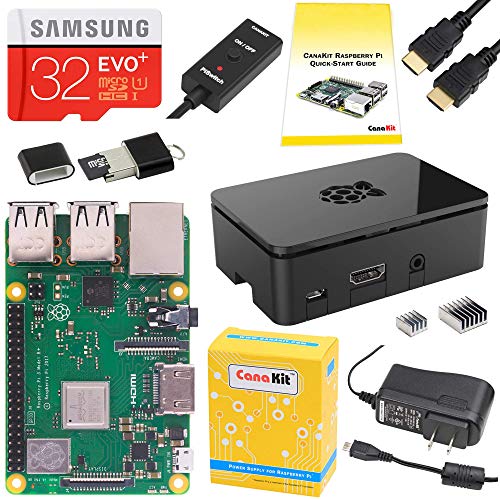
CanaKit Raspberry Pi 3 B+ Starter Kit (32 GB EVO+ Edition)
CanaKit
Mid-Range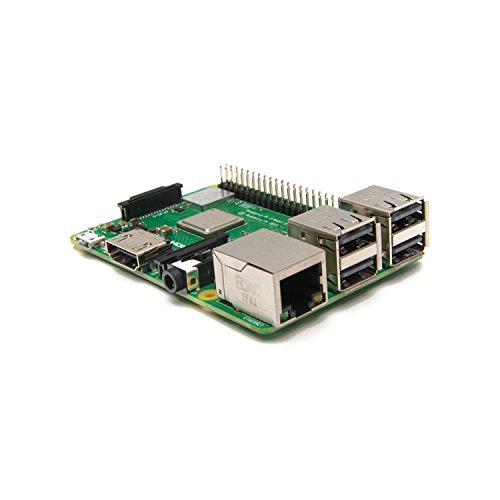
Raspberry Pi 3 Model B+ Board (3B+)
Plusysee
Mid-Range
Vilros Raspberry Pi 4 Starter Kit with Fan-Cooled Case
Vilros
Mid-Range
Waveshare 8-Channel Relay Expansion Board for Raspberry Pi
waveshare
Budget
Waveshare CM3+ Lite Compute Module (Raspberry Pi 3B+ compatible) in flexible form factor
waveshare
Budget
CanaKit Raspberry Pi 4 8GB Starter Kit
CanaKit
Mid-Range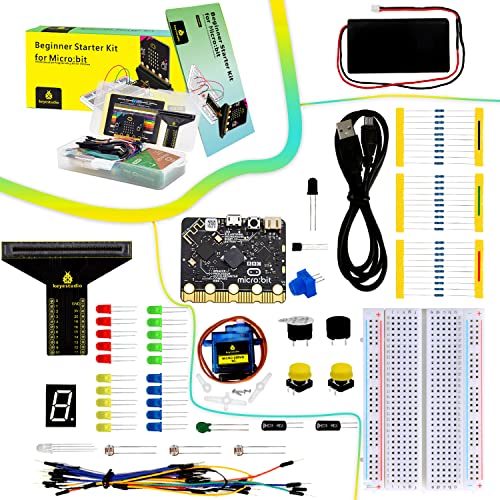
KEYESTUDIO Microbit Basic Starter Kit for BBC Micro:bit V2
KEYESTUDIO
Budget
FREENOVE Ultimate Starter Kit for Raspberry Pi Pico W
FREENOVE
Mid-Range
Arduino Nano Every 3 boards (ABX00028-3P) ATmega4809
Arduino
Mid-RangeRoundups
Frequently Asked Questions
How do I choose the right single board computer (SBC) for my project?
Pick an SBC by matching its CPU performance, RAM, and I/O to your workload: lightweight tasks and education can use low-power quad-core boards with 1–2 GB RAM, while media, AI, or server projects often need 4+ GB RAM and faster CPUs; also check available ports (USB, GPIO, HDMI), storage options (SD, eMMC, M.2), and community/software support for your OS and libraries
What connectivity and expansion features should I prioritize?
Prioritize the interfaces your project needs: Ethernet or Wi‑Fi and Bluetooth for networking, USB and PCIe or M.2 for peripherals and storage, HDMI or display interfaces for video, and sufficient GPIO pins, I2C/SPI/UART for sensors and HATs; ensure power delivery options match any attached accessories
What are typical price ranges and value considerations for SBCs?
SBCs commonly range from under $50 for basic educational boards to (price varies)–200 for midrange general-purpose models and several hundred dollars for high-performance or specialized boards; consider total cost including power supplies, cases, cooling, storage, and required accessories when assessing value
How important is software and community support when buying an SBC?
Strong software and community support are crucial—look for boards with official OS images, active forums, documented APIs, and existing tutorials or HAT/driver libraries, since these resources reduce development time and troubleshooting effort
Do SBCs need active cooling, and how do I decide?
Cooling needs depend on workload and board design: idle or low-power tasks often run without active cooling, but sustained high CPU/GPU loads, overclocking, or compact enclosed builds typically require heatsinks and/or fans to prevent thermal throttling
What power supply and storage options should I use?
Use a stable power supply that meets the board's voltage and amperage specs (often USB-C PD or barrel jack rated 3–5 A for higher-power boards) and choose reliable storage: high-end microSD cards for portability, eMMC or M.2 SSD for better performance and longevity
How do I ensure hardware compatibility with accessories and HATs?
Check the board's pinout, voltage levels (3.3V vs 5V), physical header arrangement, and supported interfaces before buying accessories; consult compatibility lists or community guides for common HATs, sensors, and Hat standards to avoid electrical or mechanical conflicts