USB Hubs
USB hubs expand a single USB port into multiple connections, offering USB‑C, USB‑A, multiport docking, and powered hub options for laptops and desktops. The category includes 344 indexed products with an average rating of 4.39 and price tiers from about $32 to $400, featuring brands like Satechi and Anker
Top Products

SABRENT USB-C Hub with M.2 Slot 6-Port Dock
SABRENT
Mid-Range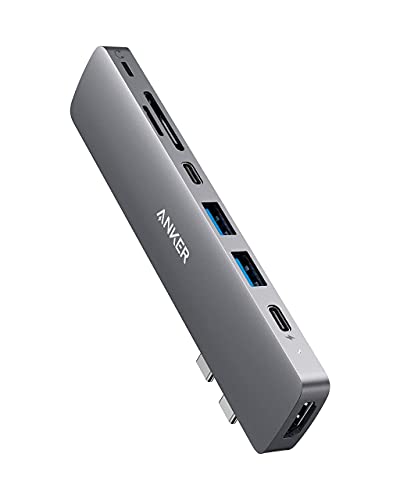
Anker USB-C Hub for MacBook 8-in-2 with HDMI, SD, USB-A/C
Anker
Budget
GTA Trilogy Definitive Edition (Rockstar Games)
Rockstar Games
Budget
Anker 7-Port USB 3.0 Data Hub with 36W power adapter
Anker
Mid-Range
Powered USB Hub with 11 Ports and 4 Smart Chargers
LYFNLOVE
Mid-Range
UGREEN Revodok 7-in-1 USB-C Hub with 4K HDMI, GbE, 100W PD, SD/TF
UGREEN
Mid-Range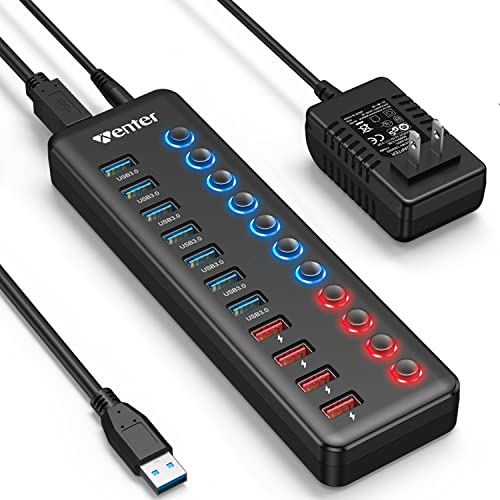
Powered USB 3.0 Hub with 11 ports and 4 smart charging ports
WENTER
Budget
Anker 6-in-1 USB-C Hub with 65W PD, HDMI, Ethernet, USB Ports
Anker
Mid-Range
P9 USB C Hub 9-in-1 with 4K HDMI, 100W PD, USB 3.0/2.0, SD/TF, aluminum
intpw
Budget
Powered USB Hub 11-Port with 7 data + 4 smart charging ports
VANOTOM
Budget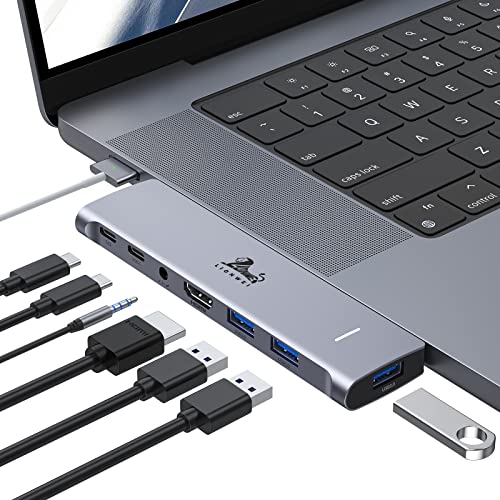
USB-C Hub Adapter for MacBook Pro/Air (M1-M2-M3) 2020-2022
LIONWEI
Budget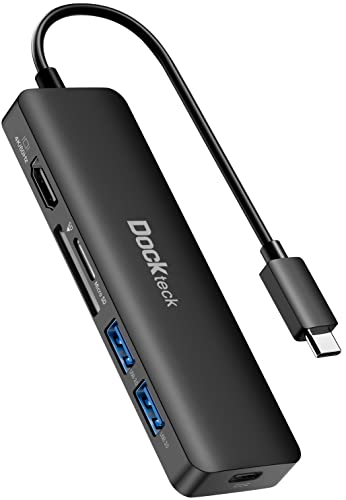
USB C Hub 6-in-1 with 4K HDMI, PD, SD & USB 3.0
dockteck
Budget
TP-Link 7-port USB 3.0 hub with 2 smart charging ports
TP-Link
Budget
Satechi Clamp Hub USB-C & USB-A Data Ports with Card Reader
Satechi
Mid-Range
Hiearcool USB-C Hub 8in1 Docking Station
Hiearcool
Budget
Hiearcool USB C Hub 8-in-1 with 4K HDMI, 100W PD for Laptops
Hiearcool
Budget
Satechi USB C Thunderbolt 4 Cable 1m, USB-C to USB-C
Satechi
Mid-Range
USB 3.0 to Gigabit Ethernet NIC Network Adapter
StarTech
Budget
Anker 10-Port USB 3.0 Data Hub with 60W PowerIQ charging
Anker
Mid-Range
Satechi USB C Hub with 3 USB-A 3.0 ports & Micro/SD readers
Satechi
Budget
Laptop Docking Station 13 in 1 for multiple ports and 4K display
LIONWEI
Mid-Range
36W 7-Port USB 3.0 Hub with Independent On/Off Switches
ACASIS
Mid-Range
Satechi USB C Hub with 3 USB-A 3.0 ports & Micro/SD readers
Satechi
Budget
Sabrent 7-port USB 3.0 hub with individual power switches
SABRENT
Mid-RangeRoundups
Frequently Asked Questions
How do I choose the right USB hub for my devices?
Match the hub's port types and counts to your devices (USB-A, USB-C, HDMI, Ethernet, SD card). Check the hub's power delivery (PD) rating if you need pass-through charging for laptops, and confirm data transfer speeds (USB 2.0, 3.0/3.1 Gen 1, 3.2) for peripherals and external drives
Do I need a powered (external power) hub or is bus-powered enough?
Bus-powered hubs draw power from the host and are fine for low-power devices like mice and flash drives; powered hubs with an external adapter are recommended for charging phones, connecting multiple hard drives, or running high-draw devices simultaneously
What should I look for if I want fast file transfers?
Choose hubs that specify USB 3.0/3.1 Gen 1 or higher with advertised transfer speeds (up to 5 Gbps or greater). Also use high-quality, short cables and connect NVMe/SSD enclosures directly or via a hub that supports USB 3.1/3.2 to avoid speed bottlenecks
Will a USB-C hub work with my older laptop that has USB-A ports?
A USB-C hub requires a USB-C host port; to use it with a USB-A port you need a reliable USB-A to USB-C adapter, but this may limit power delivery and data speeds depending on the adapter and host capabilities
How do I ensure compatibility with docking features like video output and charging?
Confirm your laptop's USB-C port supports the necessary alternate modes and power profiles: DisplayPort Alt Mode for video output and USB Power Delivery (PD) for charging; check the hub's listed supported resolutions and PD wattage to match your needs
Are there any common durability or build-quality features to consider?
Look for hubs with reinforced connectors, aluminum or high-quality plastic housings for heat dissipation, and short, well-shielded cables; check whether the hub supports firmware updates or has replaceable cables if long-term reliability matters
What maintenance or safety practices should I follow for USB hubs?
Keep connectors clean and dry, avoid forcing incompatible plugs, unplug the hub before moving heavy drives, and use surge protection when connecting multiple powered devices to reduce risk from electrical spikes