Xbox Series X & S Accessories
Accessories for Xbox Series X & S including controllers, headsets, charging docks, adapters, and capture devices across budget through premium price tiers. The category averages a 4.40 rating over 43 products with prices from $33 to $329 and features brands like Turtle Beach
Top Products

PowerA Ultra High Speed HDMI Cable for Xbox Series X|S
PowerA
Mid-Range
WD_BLACK 2TB P10 Game Drive for Xbox
WD_BLACK
Mid-Range
Zadii Case for Xbox Series X, protective travel bag
Zadii
Mid-Range
Razer Kaira X wired headset for Xbox & PC
Razer
Mid-Range
Charger Stand for Xbox Series S with 2 Fans & Dual Controller Charging
MENEEA
Mid-Range
Travel carrying case for xbox series x console and accessories
PGmoon
Mid-Range
Turtle Beach Recon Spark Gaming Headset (Xbox/PS/PC) with flip-up mic
Turtle Beach
Mid-Range
MAYFLASH Universal Arcade Fighting Stick F500 for multi-platform
MAYFLASH
Mid-Range
Magnetic wrap for Xbox Series X with Starfield design
WOLIBEAR
Budget
Turtle Beach Recon 200 Gen 2 Gaming Headset
Turtle Beach
Mid-Range
Turtle Beach Recon Spark Gaming Headset (Xbox licensed) – White/Purple
Turtle Beach
Mid-Range
Wall Mount Kit for Xbox Series X/S with 2 Controller Holder & Headset Stand
KEPLUG
Budget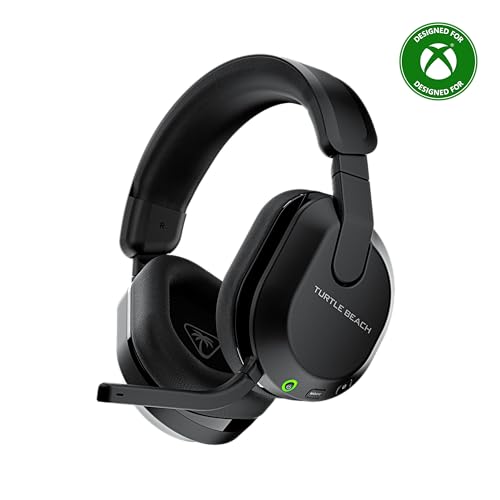
Turtle Beach Stealth 600 Wireless Gaming Headset
Turtle Beach
Mid-Range
Turtle Beach Stealth 600 Wireless Gaming Headset (Xbox/PC/PlayStation) White
Turtle Beach
Mid-Range
RGB Cooling Fan for Xbox Series X with Dust Filter & 7 RGB LED Modes
MENEEA
Budget
Mayflash F500 Elite USB Game Controller for multiple consoles
MAYFLASH
Mid-Range
Turtle Beach Stealth 500 Wireless Gaming Headset
Turtle Beach
Mid-Range
Razer Kaira Wireless Gaming Headset for Xbox
Razer
Mid-Range
Turtle Beach Stealth 500 Wireless Gaming Headset for Xbox
Turtle Beach
Mid-Range
Nargos Xbox Series X/S Console Cooling Stand with Charging Dock
Nargos
Budget
Stealth 500 Wireless Gaming Headset for PS5/PS4/PC/Nintendo Switch
Turtle Beach
Mid-Range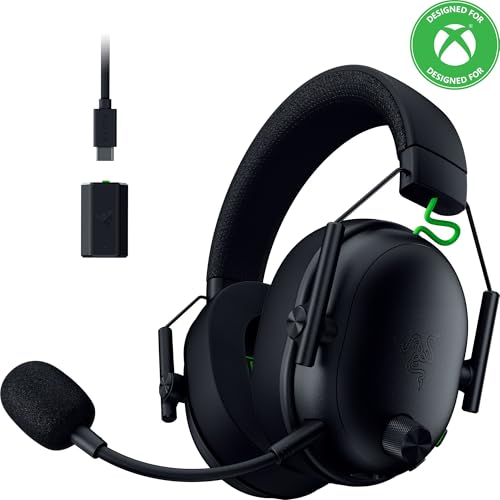
Razer BlackShark V3 Wireless Headset for Xbox
Razer
Mid-Range
RIG 600 PRO HX Dual Wireless Gaming Headset
Nacon
Mid-Range
RIG 800 PRO HX Wireless Gaming Headset & Base Station
RIG
PremiumRoundups
Frequently Asked Questions
How do I choose between accessories for Xbox Series X vs Series S?
Most accessories (controllers, headsets, charging docks) are compatible with both Series X and S because they use the same Xbox Wireless and USB standards; check product specs for console compatibility and whether firmware updates or USB-C vs USB-A cables are required
What are the essential accessories to improve gameplay and audio?
Essential items are a controller or controller upgrade for comfort and latency, a wired or wireless gaming headset for clear chat and positional audio, and optionally an external charging solution; prioritize low latency wireless or wired USB connections for competitive play
How much should I expect to spend on quality Xbox Series X/S accessories?
Prices vary by type and brand: budget controllers and wired headsets can be found under $50, mid-range accessories typically fall between $50–$150, and premium audio or pro controllers can exceed (price varies); the category average price is around $130
Are third-party controllers and headsets reliable and compatible?
Many reputable third-party brands follow Xbox compatibility standards and offer reliable options, but check for explicit Xbox certification, supported features (latency, rumble, audio chat), and return policies since feature sets and build quality vary
Do wireless headsets introduce audio lag, and how can I minimize it?
Wireless headsets can have more latency than wired ones, but models using low-latency USB transceivers or Xbox Wireless typically perform well; to minimize lag, use a wired connection or choose headsets that specify low-latency compatibility with Xbox consoles
How do I care for and maintain controllers and charging accessories?
Keep controllers and docks clean and dry, charge batteries according to manufacturer guidance, use recommended cables to avoid overvoltage, and update firmware when available to maintain performance and longevity
What should I look for in a charging solution for multiple controllers?
Look for multi-bay docks with secure physical mounts, smart charging that prevents overcharge, USB-C compatibility with Series controllers, and clear indicators for charge status; verify total power output if charging multiple high-capacity batteries simultaneously