Brochure Paper
Brochure Paper includes coated and uncoated sheets sized for tri-folds and multi-panel prints, suited for office brochures, flyers, and marketing collateral. Ten products averaged 4.5 stars across mid-range prices (about $33–$55), with brands like HP represented
Top Products

PPD Double Sided Matte Photo Paper 11x14, 210 gsm, 50 sheets
PPD
Budget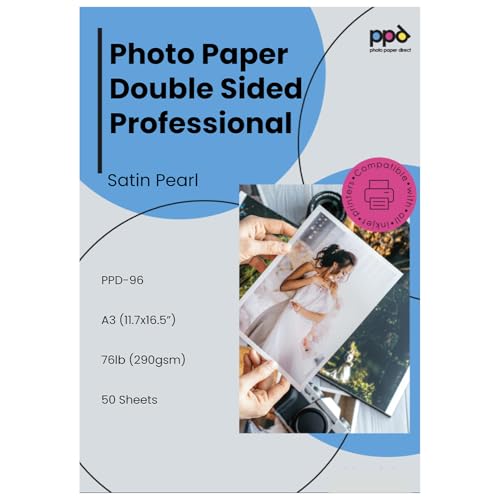
PPD Double-Sided Photo Paper 11x17, Satin Pearl, 290 gsm, 50 sheets
PPD
Mid-Range
PPD Double Sided Matte Photo Paper 13x19, 210 gsm, 50 sheets
PPD
Mid-Range
HP Professional Glossy Paper 8.5x11 48 lb 150 sheets
HP
Mid-Range
PPD Double Sided Matte Photo Paper 11x17, 210 gsm, 50 sheets
PPD
Mid-Range
HP Enhanced Business Paper, Glossy 8.5x11 40 lb 150 sheets
HP
Budget
HP Enhanced Business Paper, Matte, 8.5x11 in, 40 lb, 150 sheets (Q6543A)
HP
Budget
65lb white tri-fold brochure paper, 3-panel 8.5x11 (250 sheets)
Desktop Publishing Supplies
Budget
Epson Matte Double-Sided Brochure Paper 8.5x11
Epson
Mid-Range
HP Enhanced Tri-fold glossy brochure paper 8.5x11 40 lb 150 sheets
HP
Mid-RangeRoundups
- Best Brochure Paper for Brochure Printing (2026)
- Best Brochure Paper for Presentations (2026)
- Best Brochure Paper for Flyers (2026)
- Best Brochure Paper for Photo Albums (2026)
- Best Brochure Paper for Brochures (2026)
- Best Brochure Paper Under $200 (2026)
- Best Brochure Paper Under $100 (2026)
- Best Brochure Paper Under $50 (2026)
- Best Brochure Paper (2026 Guide)
Frequently Asked Questions
How do I choose the right weight and finish for brochure paper?
Choose paper weight (measured in gsm or lb) based on intended durability and feel: 90–170 gsm is common for folded brochures; heavier stock around 200–300 gsm is used for premium, single-sheet brochures or covers. Select finish by print method and appearance: coated/gloss finishes give vibrant color and sheen for photos, while matte/uncoated provides a subdued, writable surface
What paper size and folding options should I consider for office brochures?
Match paper size to your printer and distribution method: letter (8.5×11 in), A4, and tabloid sizes are standard for office printers. Common folds include bi-fold (single fold) and tri-fold (two folds)—tri-folds fit standard envelopes and brochure stands, while larger formats or gate folds are used for more complex layouts
Will brochure paper work with my inkjet or laser printer?
Check the paper label for compatibility; many brochure stocks are formulated for either inkjet or laser printers, but not all for both. Coated glossy stocks often require special inkjet-friendly coatings or laser-safe formulations to prevent smudging, so verify printer compatibility and recommended weight limits in your printer manual
How should I store brochure paper to keep it in good condition?
Store paper flat in its original packaging or a clean, dry place away from direct sunlight and humidity; ideal conditions are room temperature and 30–50% relative humidity. Avoid stacking heavy items on top of stored sheets to prevent curling or creasing
What resolution and color settings should I use for brochure printing?
Design brochures at 300 dpi for high-quality photos and convert images to CMYK color mode for accurate color reproduction in commercial printing; allow a 0.125–0.25 inch bleed for edge-to-edge printing. For office printers, use the highest printer quality setting and perform a test print to confirm colors and alignment
Are there eco-friendly brochure paper options?
Yes — look for recycled content percentages, FSC or PEFC chain-of-custody certifications, and papers labeled as made from sustainably managed forests or post-consumer waste. Uncoated papers are generally easier to recycle, and some coated stocks carry certifications indicating lower environmental impact
How does paper finish affect ink drying time and smudging risk?
Gloss and high-coating papers can increase drying time and the risk of smudging, especially on inkjet printers, unless the stock is specifically treated for quick absorption; matte and uncoated papers typically absorb ink faster and reduce smearing. Always allow prints to dry fully and follow any manufacturer recommendations for drying times