Document Scanners
Document Scanners for Office & Productivity include sheet-fed, flatbed, and portable models for digitizing documents, receipts, and photos. The category spans budget through premium options (average price ~(price varies)) with brands like Epson and Brother well represented among 39 indexed products and a 4.28 average rating
Top Products

Brother DS-640 Compact Mobile Document Scanner
Brother
Premium
Epson WorkForce ES-50 Portable Sheet-Fed Scanner
Epson
Premium
CZUR Assistive Cover for 13.14
CZUR
Budget
Doxie Go SE portable document scanner
Doxie
Premium
Doxie Pro DX400 duplex document scanner
Doxie
Premium
Brother DS-740D duplex compact mobile document scanner
Brother
Premium
PenPower WorldPenScan Go translation pen with scanning and AI reading buddy
PenPower
Premium
Canon imageFORMULA R40: document scanner for Windows and Mac
Canon
Premium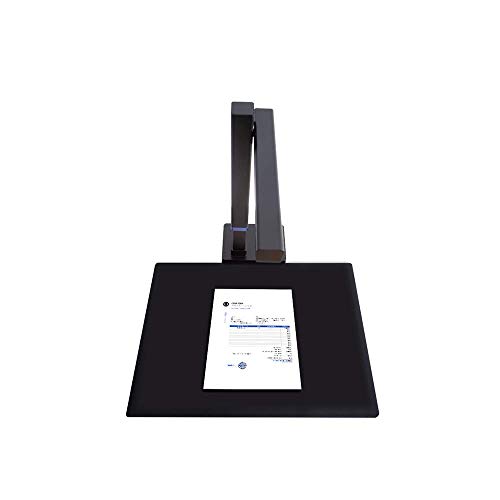
CZUR Shine800-A3-Pro USB document camera & scanner
CZUR
Premium
CZUR Shine Ultra portable document scanner with OCR
CZUR
Premium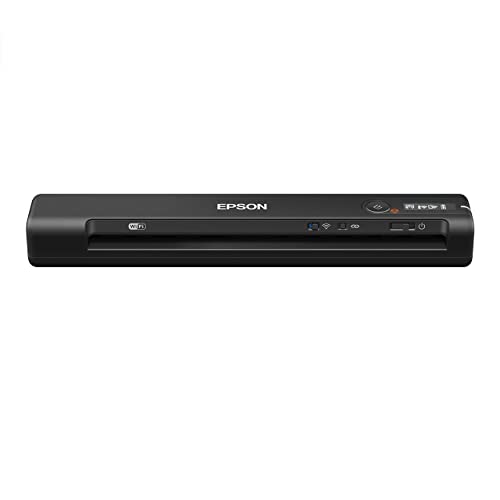
Epson Workforce ES-60W wireless portable sheet-fed scanner
Epson
Premium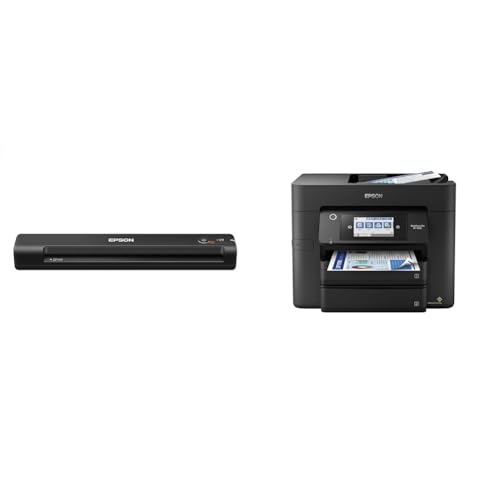
Epson portable sheet-fed scanner + all-in-one printer
Epson
Premium
Epson RapidReceipt RR-60 Mobile Color Scanner
Epson
Premium
Epson portable document scanner + wireless all-in-one printer
Epson
Premium
Canon imageFORMULA R10 portable document scanner
Canon
Premium
Epson Workforce ES-500W II Wireless Document Scanner
Epson
Premium
Brother ADS-1300 compact desktop scanner
Brother
Premium
ScanSnap iX2500 Wireless/USB Document Scanner with 5" touchscreen
ScanSnap
Premium
ScanSnap iX2500 wireless/usb document scanner
ScanSnap
Premium
Plustek Mobile Scanner S410 Plus – Portable sheet-fed document scanner
plustek
Mid-Range
ScanSnap iX100 Wireless Mobile Scanner
ScanSnap
Premium
Plustek PS186 Desktop Document Scanner with 50-Page ADF
plustek
Premium
CZUR Aura Pro Book & Document Scanner
CZUR
Premium
Epson RapidReceipt RR-70W Wireless Portable Scanner
Epson
PremiumRoundups
Frequently Asked Questions
How do I choose the right document scanner for office use?
Pick a scanner based on volume (sheets per day), feed type (automatic document feeder for multi-page jobs vs. flatbed for books/photos), required resolution (300 dpi for text, 600 dpi+ for detailed images), connection type (USB, Ethernet, or Wi‑Fi), and software compatibility with your OS and workflow (OCR and searchable PDF support)
What are the main differences between sheet-fed and flatbed scanners?
Sheet-fed scanners use an automatic document feeder to quickly scan stacks of loose pages, ideal for high-volume text; flatbed scanners have a glass platen for scanning bound materials, fragile documents, or thick items like passports and books. Some models combine both capabilities
How important is OCR and what should I look for in OCR software?
OCR (optical character recognition) converts scanned images into editable/searchable text; look for high accuracy, support for multiple languages, export to common formats (PDF, Word, text), and batch/OCR-for-multiple-files capability to streamline document workflows
What scanning speed and duty cycle do I need for a small-to-medium office?
For small offices, 20–40 pages per minute (ppm) is usually adequate; medium offices often need 40–80 ppm or more. Check the daily duty cycle or recommended daily volume to ensure reliability under your expected workload
How do I choose between color depth and resolution for my scans?
Resolution (dpi) affects detail—300 dpi is typically sufficient for text, 600 dpi+ for high-quality images; color depth (bits per channel) affects color accuracy and gradation—24-bit color is common for standard color documents, while 48-bit offers higher fidelity for color-critical tasks
What file formats should a scanner support for office workflows?
Look for support for searchable PDF, standard image formats (TIFF, JPEG, PNG), and editable formats (Word/RTF or plain text via OCR). Batch output, PDF/A for archiving, and configurable compression options are also useful
What maintenance and care do document scanners require to stay reliable?
Regularly clean the glass/platen and feed rollers per manufacturer instructions, replace consumable rollers or pads when recommended, keep software/firmware updated, and avoid overloading the feeder to prevent jams and mechanical wear