Graphing Office Calculators
Graphing office calculators are handheld and desktop devices for plotting functions, solving equations, and performing advanced statistical and financial analysis in office workflows. This category spans budget to premium models (average price ~(price varies)) from brands like Texas Instruments and Casio, with an average user rating of 4.54 across 19 indexed products
Top Products

TI-84 Plus CE Color Graphing Calculator – Mint
Texas Instruments
Premium
TI-84 Plus CE Graphing Calculator Fractal Frost
Texas Instruments
Premium
TI-84 Plus CE graphing calculator, teal
Texas Instruments
Premium
Casio fx-CG100 ClassWiz Color Graphing Calculator
Casio
Premium
Texas Instruments TI-84 Plus CE Color Graphing Calculator (Black)
Texas Instruments
Premium
Texas Instruments TI-84 Plus CE Graphing Calculator, Black
Texas Instruments
Mid-Range
NumWorks Graphing Calculator
NumWorks
Mid-Range
Texas Instruments TI-Nspire CX II CAS Color Graphing Calculator
Texas Instruments
Premium
TI-84 Plus CE Color Graphing Calculator, Teal
Texas Instruments
Premium
Texas Instruments TI-Nspire CX II Color Graphing Calculator with Student Software
Texas Instruments
Premium
Franklin Scientific Graphing Calculator with 3 modes
Franklin
Budget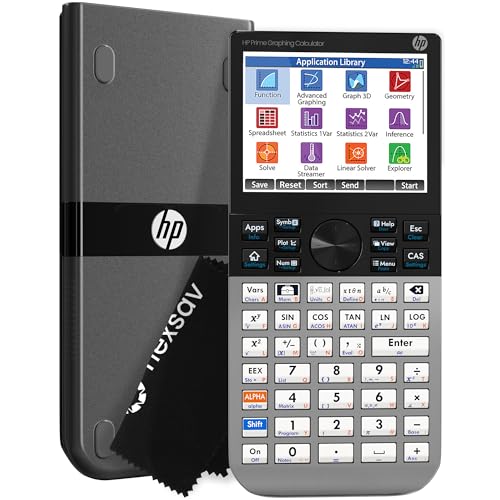
HP Prime Graphing Calculator with CAS and multi-touch display
HP
Premium
Texas Instruments TI-83 Plus Graphing Calculator (Certified Renewed)
Texas Instruments
Mid-Range
TI-Nspire CX II CAS Graphing Calculator with Color Screen
Certified Brands
Premium
Franklin graphing calculator with 3 modes
Franklin
Budget
HP Prime graphing calculator with WYNGS case
WYNGS
Premium
Texas Instruments TI-89 Advanced Graphing Calculator (Renewed)
Texas Instruments
Premium
Texas Instruments TI-Nspire CX II Color Graphing Calculator - Teacher Kit (10 pack)
Texas Instruments
Premium
Texas Instruments TI-83 Plus Graphing Calculator (Renewed)
Texas Instruments
Mid-RangeRoundups
Frequently Asked Questions
How do I choose the right graphing office calculator for work use?
Choose based on the functions you need (statistical analysis, matrix operations, programmable scripts), display size/resolution for viewing graphs and tables, keyboard layout for frequent operations, and compatibility with file transfer or software if you need to move data to a PC
What price range should I expect for office-quality graphing calculators?
Office-grade graphing calculators commonly fall into a wide range from budget models under $50 to advanced units several hundred dollars; many products in this category cluster around mid-range prices appropriate for professional use
Which features matter most for productivity tasks and reporting?
Key productivity features include a high-resolution color or large monochrome display, built-in statistical and matrix functions, programmability or scripting, spreadsheet-like views, and the ability to export/import data via USB or standard file formats
Are graphing calculators compatible with office software and data export?
Many models support USB or serial transfer to PCs and can export data or screenshots in common formats; confirm the specific model's connectivity options and supported file formats before purchasing
How durable and serviceable are graphing calculators for regular office use?
Most office-oriented graphing calculators are built for regular use with solid keypads and plastic casings; check manufacturer warranty, availability of replacement batteries or rechargeable options, and whether firmware updates are provided for long-term support
Do I need a programmable or calculator with CAS (computer algebra system)?
Choose a programmable model if you need to automate repetitive calculations; opt for a CAS-enabled calculator if you require symbolic algebra, exact simplification, and symbolic integration—note that CAS is not necessary for numeric-only tasks
What should I consider about screen and input when evaluating usability?
Look for larger or higher-resolution screens for clearer graphs and multi-line expressions, a logical, tactile keypad layout for frequent functions, and menu/navigation ergonomics that reduce steps for common office calculations