Laptop Stands
Laptop stands for office and productivity include adjustable risers, cooling stands, and monitor-height risers designed to improve ergonomics and desk organization. The category spans budget through mid-range options (about $35–$120, avg $53) with 43 products and an average rating of 4.43; notable brands include LINGMI
Top Products
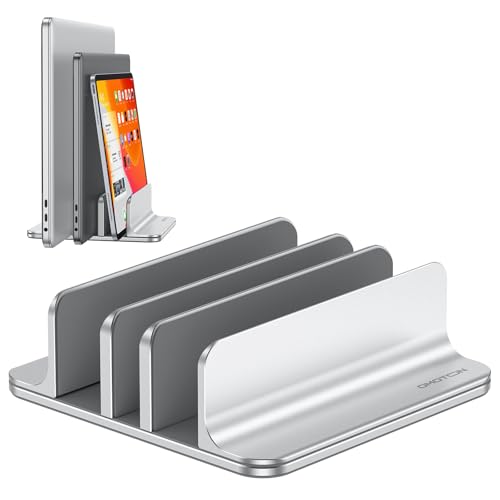
OMOTON 3-Slot Vertical Laptop Stand
OMOTON
Budget
Laptop stand with 360 rotating base, folding, 16-inch fit
Moallia
Budget
Lifelong 360 Rotating Ergonomic Laptop Stand
Lifelong
Mid-Range
Adjustable Laptop Stand with 360° Rotating Base
LOXP
Budget
Desk side storage for under-desk laptop with cable tray
MAXECHO
Budget
MAXECHO Desk Side Storage with Clamp Under Desk Mount
MAXECHO
Mid-Range
Desk Side Storage with Under-Desk Mount and Cable Tray
MAXECHO
Mid-Range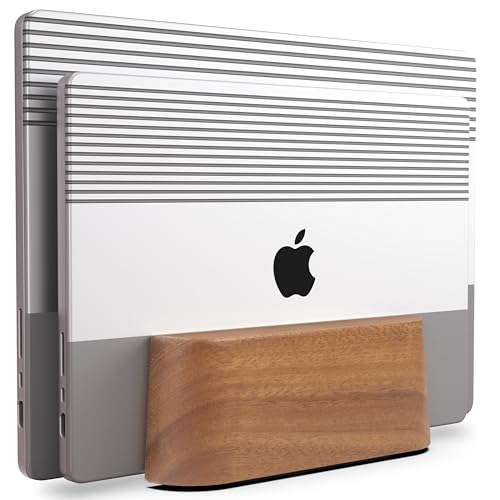
Adjustable Dual Vertical Laptop Stand in Wood with Metal Base
COREMINDED
Mid-Range
MOFT Folding Laptop Stand – portable ergonomic desk
MOFT
Mid-Range
MOFT folding laptop stand with adjustable viewing angles
MOFT
Mid-Range
Laptop Stand for Desk with 360° rotating base
LEEPONE
Budget
Acer Laptop Stand with 360° Swivel Base
acer
Mid-Range
Upgraded Portable Projector Stand Tripod - Adjustable 26-56in
ORWOD
Mid-Range
Foldable lap desk with storage for bed and table
Vigo Wood
Mid-Range
Lamicall Adjustable Laptop Stand for Desk (10-17.3") - Aluminum, 360° Rotating
Lamicall
Mid-Range
Elestoria adjustable vertical laptop stand for up to 5 devices
Elestoria
Mid-Range
Projector stand adjustable height tripod with tray and phone holder
KOOV
Mid-Range
Heavy Duty Under Desk PC Holder for towers up to 77 lbs
Ultimate Setup
Mid-Range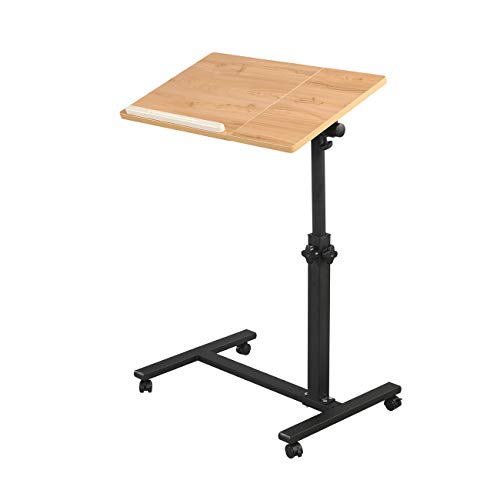
TigerDad overbed desk with wheels, height adjustable laptop table
TigerDad
Mid-Range
SUMISKY Lap Desk with Bamboo Platform
SUMISKY
Mid-Range
Projector Tripod Stand with Adjustable Height
GSOW
Mid-Range
Adjustable 360° Laptop Stand, Aluminum Frame
HC
Budget
Laptop desk with adjustable height and rotating tray
LINGMI
Mid-Range
ORWOD Projector Stand Laptop Tripod (20-60 in) with Gooseneck Holder
ORWOD
Mid-RangeRoundups
Frequently Asked Questions
How do I choose the right laptop stand for my workspace and posture?
Choose a stand that raises the laptop screen to eye level to reduce neck strain, supports your laptop’s size and weight, and fits your desk depth; consider adjustable-height or angled stands if you switch between sitting and standing or use an external keyboard
What features should I prioritize for compatibility with my laptop and peripherals?
Look for a stand with a weight rating higher than your laptop, adequate surface width and depth for the chassis, ventilation or open design for cooling, and clearance for a full-size external keyboard and mouse if you use them
Are there good budget options and what price range should I expect?
You can find simple fixed or lightweight portable stands under $50, while more robust adjustable or multi-angle metal stands typically range from about $50 to $150; assess materials and adjustability rather than price alone
Which materials and build qualities affect stability and heat dissipation?
Aluminum and metal alloy stands generally offer stronger stability and better heat conduction, while ABS plastics can be lighter and cheaper; look for rubberized contact points and ventilation cutouts to improve grip and cooling
How much adjustability do I need and what types are common?
Common adjustability options include fixed-angle, multi-angle foldable, and continuous height-adjustable (gas-spring or screw) models; choose based on whether you need quick height/angle changes or a lightweight portable solution
Will a laptop stand affect cooling or fan noise?
A stand that elevates the laptop and provides open airflow underneath typically improves cooling and can reduce fan load; enclosed or non-ventilated designs may trap heat and increase fan activity
What maintenance and care does a laptop stand require?
Wipe surfaces with a damp cloth and mild cleaner, periodically check and tighten any screws or hinges, and avoid placing heavy objects on the stand beyond its rated capacity to prevent deformation or failure