Office Presentation Remotes
Office presentation remotes for controlling slides, laser pointers, and presenter timers in meetings and lectures. The category includes basic to mid-range models (average price ~(price varies)) from brands like Logitech and Norwii, with an average user rating of 4.39 across 23 indexed products
Top Products

Logitech wireless presenter R400 with laser pointer
Logitech
Mid-Range
Logitech Wireless Presenter R800: PowerPoint clicker with green laser
Logitech
Mid-Range
Rechargeable Green Laser Pointer Presentation Clicker
CLIKBUTM
Mid-Range
DinoFire Bluetooth & RF 2.4 GHz Presenter Clicker
DinoFire
Budget
Rechargeable Green Laser Presenter Clicker with 2-in-1 USB-C/USB Dongle
KTPYRP
Mid-Range
Presentation clicker with laser pointer remote (2-pack) for PowerPoint and Google Slides
UBUYONE
Budget
(2 Units) Presentation Clicker PowerPoint Wireless Presenter Remote
CLIKBUTM
Budget
Kensington Wireless Presenter (K33271WW) – 2.4GHz, USB
Kensington
Mid-Range
2 in 1 USB Type C spotlight presenter with highlighting and magnifier
Shenzhen Qixun Space Technology Co. , Ltd.
Budget
Rechargeable presentation clicker with case and LED light pointer
UBUYONE
Budget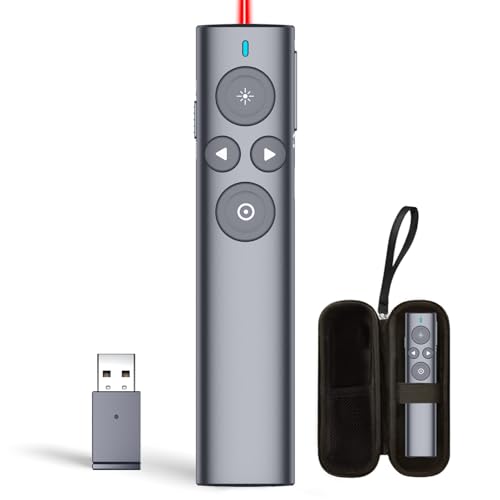
Norwii Presentation Clicker with Digital Pointer
Norwii
Budget
(4 Units) Presentation Clicker with 4 Cases Wireless Presenter Remote PowerPoint Pointer Slide Advancer for Mac Laptop PC Computer Keynote
UBUYONE
Mid-Range
Norwii N97s TV screen presentation clicker
Norwii
Mid-Range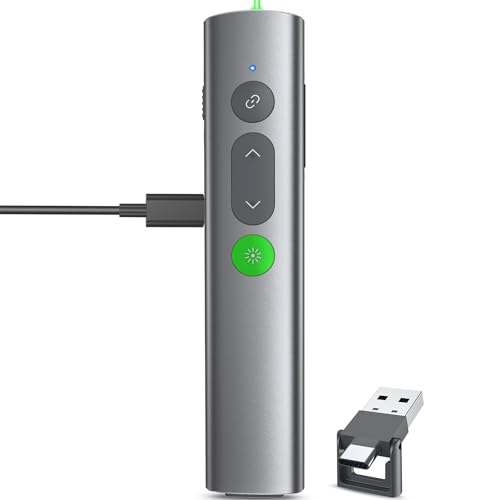
Wireless Presentation Clicker with USB-C/USB-A receiver
UBUYONE
Mid-Range
PR-820 Wireless Presentation Clicker with Laser Pointer
RED STAR TEC
Mid-Range
Norwii N95s wireless presenter with countdown timer
Norwii
Mid-Range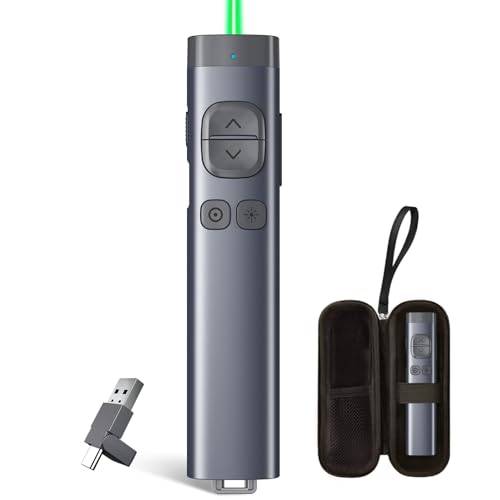
Norwii N97s TV screen presentation clicker
Norwii
Mid-Range
2in1 Laser Pointer Presenter Clicker with USB Drive
HEYLACOOLX
Mid-Range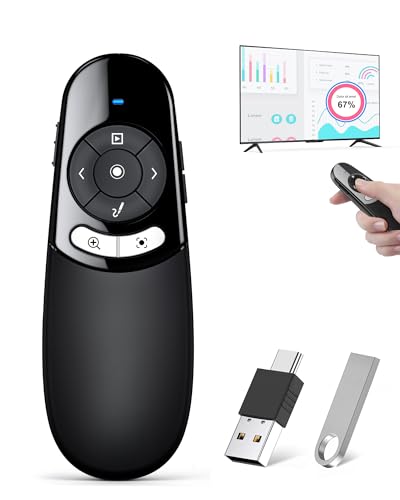
Presentation Clicker for TV/LED/LCD w magnifier highlight
HEYLACOOLX
Mid-Range
Norwii N97s TV screen presentation clicker
Norwii
Mid-Range![[2 Units] CLIKBUTM Presentation Clicker with USB-C Rechargeable](https://m.media-amazon.com/images/I/51wEbajIVTL._SL500_.jpg)
[2 Units] CLIKBUTM Presentation Clicker with USB-C Rechargeable
CLIKBUTM
Mid-Range
Logitech Spotlight Presentation Remote with Bluetooth
Logitech
Mid-Range
Bluetooth Presenter with Air Mouse (Space Gray)
Cheerdots
Mid-RangeRoundups
- Best Office Presentation Remotes for Business Presentations (2026)
- Best Office Presentation Remotes for Classroom Lectures (2026)
- Best Office Presentation Remotes for Training Sessions (2026)
- Best Office Presentation Remotes for Classroom Presentations (2026)
- Best Office Presentation Remotes Under $200 (2026)
- Best Office Presentation Remotes Under $100 (2026)
- Best Office Presentation Remotes Under $50 (2026)
- Best Office Presentation Remotes (2026 Guide)
Frequently Asked Questions
How do I choose between a wireless RF/USB dongle remote and a Bluetooth remote?
RF/USB dongle remotes typically offer plug-and-play compatibility with most laptops and have longer range with fewer pairing steps; Bluetooth remotes connect directly to devices without a dongle but may require pairing and have variable compatibility with some older systems
Which features matter most for presentation remotes?
Essential features include slide forward/back buttons, a reliable connection (RF or Bluetooth), a built-in laser pointer or cursor control, battery life and type (rechargeable vs disposable), and compatibility with your presentation software and operating system
What should I expect to pay for a reliable office presentation remote?
Presentation remotes for office use typically range from budget models under $30 to mid-range options around $30–$70; specialty or premium remotes with extra features may cost more, while many well-rated, functional models cluster around the mid-range
How can I check compatibility with my laptop and presentation software before buying?
Look for stated OS compatibility (Windows, macOS, Chrome OS) and whether the remote uses a USB receiver or Bluetooth; confirm that it supports common apps like PowerPoint, Keynote, and Google Slides or that it emulates standard keyboard shortcuts (arrow keys, page up/down)
What are important battery and maintenance considerations?
Consider whether the remote uses replaceable batteries or a built-in rechargeable battery, check reported battery life (hours or days of typical use), keep spare batteries or a charging cable handy, and store the USB receiver inside the remote if available to avoid loss
Is a laser pointer necessary and are there safety or venue restrictions?
A laser pointer can help highlight content but is not required; verify venue policies since some places restrict laser use, and choose red or green lasers within safe output classes and follow basic laser-safety guidelines
How reliable are the range and latency claims for presentation remotes?
Range and latency depend on connection type, environmental interference, and device antennas; advertised ranges (commonly 30–100 feet) are best-case estimates, so test a remote in your typical presentation space when possible