Printing Calculators
Printing calculators for office and accounting tasks, including basic 2-color and advanced tax/financial models with paper roll printing. 32 products indexed, average rating 4.49 and price range about $34–$159, with brands like Sharp and Casio represented
Top Products

Adding machine paper rolls 2 1/4 in x 150 ft, 12 rolls
BuyRegisterRolls
Mid-Range
Canon P23-DHV-3 printing calculator with tax & calendar
Canon
Mid-Range
Sharp SH-EL1750V printing calculator
Sharp
Mid-Range
2 1/4" x 150 ft White Adding Machine Tape Paper Rolls (48 rolls)
BuyRegisterRolls
Mid-Range
Casio Desktop Printing Calculator with 12-digit display
Casio
Mid-Range
Casio HR-170RC Printing Calculator, black
Casio
Mid-Range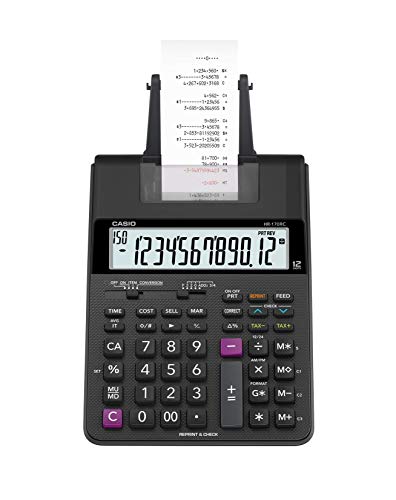
Casio HR-170RC Plus mini desktop printing calculator
Casio
Mid-Range
Victor 1208-2 printing calculator with 12-digit display
Victor
Mid-Range
CATIGA printing calculator with paper roll print
CATIGA
Mid-Range
Casio 12-Digit Printing Calculator with 2-Color Print
Casio
Budget
Sharp 12-Digit Ink Printing Calculator
Sharp
Mid-Range
CATIGA 2025 Printing Calculator with Paper Roll Print
CATIGA
Mid-Range
Adding Machine Tape Paper Roll 2-1/4" x 150 ft, 96 rolls
BuyRegisterRolls
Mid-Range
CATIGA Printing Calculator with Paper Roll Print
CATIGA
Mid-Range
Two-Color Printing Desktop Calculator (EL1197PIII) Black/Red
Sharp
Mid-Range
Sharp 12-digit desktop print calculator with large display
Sharp
Mid-Range
CATIGA 2025 Printing Calculator with Paper Roll Print
CATIGA
Mid-Range
Canon MP11DX-2 desktop printing calculator with currency conversion
Canon
Mid-Range
Canon P170DH3 12-Digit Desktop Printing Calculator
Canon
Mid-Range
Casio HR-300RC Printing Calculator with Backlit Display
Casio
Mid-Range
Canon P1-DHV-3 Printing Desktop Calculator (Silver)
Canon
Mid-Range
Canon P170-DH-3 Desktop Printing Calculator with currency conversion
Canon
Mid-Range
CATIGA 2025 Printing Calculator with Paper Roll, 10 Key Adding Machine
CATIGA
Mid-Range
Sharp heavy duty color printing calculator with clock and calendar
Sharp
PremiumRoundups
Frequently Asked Questions
How do I choose the right printing calculator for office use?
Choose based on printing speed and paper width for your volume needs, key layout and display size for usability, required functions (tax, cost/sell/margin, memory, and percentage), and connectivity (battery/AC power). Consider build quality and brand reputation for reliability in frequent use
What features distinguish basic models from professional printing calculators?
Basic models typically offer standard arithmetic, a single-line display, and slower impact printing, while professional models add multi-function keys (tax, currency, cost/sell/margin), faster and quieter printers, larger displays, dual power options, and expanded memory or edit/correction functions
What price range should I expect and how does price relate to value?
Printing calculators commonly range from budget options under $50 to higher-end units over $100; average prices often fall in the mid-range. Higher prices generally reflect faster printing, stronger build quality, additional business functions, and brand support
How important is paper type and how do I buy the right paper rolls?
Most models use standard thermal or plain paper rolls—check your calculator’s required roll width and core size. Buy replacement rolls that match those specifications and keep extras on hand to avoid downtime
Can printing calculators connect to computers or other devices?
Most traditional printing calculators are stand-alone and do not have computer connectivity; a few advanced models may offer limited interfaces, but if digital integration or exporting is required, consider a dedicated desktop printer or calculator app instead
What maintenance is required to keep a printing calculator working well?
Regularly replace paper rolls and batteries or use the AC adapter when available, clean the keyboard and paper path of dust, and avoid spilling liquids; for impact printers, change ink ribbons as recommended and follow the manufacturer’s service guidelines
Which brands are known for reliable printing calculators and why choose them?
Established brands in this category are known for consistent key feel, durable mechanisms, and accessible replacement supplies; choose a brand with clear documentation and available consumables (paper, ribbons) to ensure long-term usability