Slide & Negative Scanners
Slide and negative scanners convert film slides, strips and mounted negatives into digital images for archiving and office use. This category spans budget to mid-range units (about $35–$539, avg $149) with 17 products and a 4.41 average rating; notable brands include Magnasonic
Top Products

Photomyne A4 Slide Viewer with Light Pad Backlight
PHOTOMYNE
Mid-Range
JJC Negative Slide Film Cutter with LED backlight and USB-C
JJC
Budget
Magnasonic 24MP Film Scanner with 5" Display
Magnasonic
Premium
Magnetic Slide Viewer Light Box - A4 Backlight
PHOTOMYNE
Mid-Range
Kodak SCANZA 35mm & film slide scanner
KODAK
Premium
KODAK Slide N SCAN Film & Slide Scanner
KODAK
Premium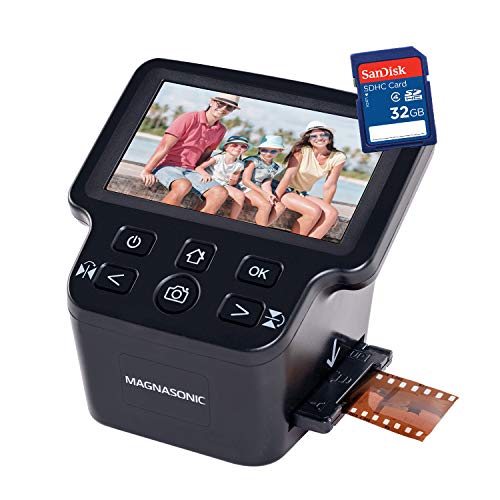
Magnasonic 24MP film scanner with 5" display
Magnasonic
Premium
BEONEGLOBAL ClearScan MINI Film Scanner 16MP
BEONE GLOBAL
Mid-Range
Slide Viewer Light Box 5600K Ultra-Thin Brightness Backlight
JHFart
Budget
Digital Film & Photo Scanner for 35mm slides, negatives & prints
Digitgarden
Mid-Range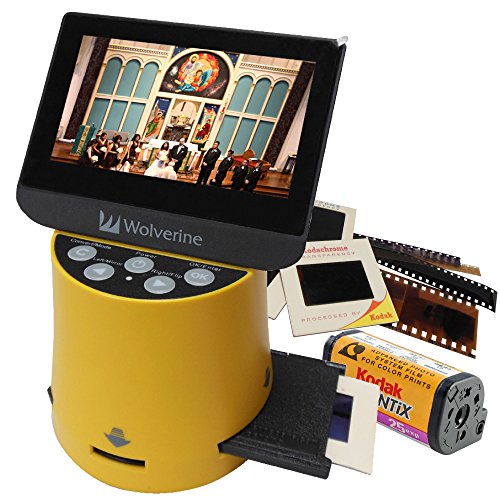
Wolverine Titan 8-in-1 Film to Digital Converter
Wolverine
Premium
Magnasonic all-in-one film scanner with 5" display
Magnasonic
Premium
Kodak Slide N Scan Max digital film slide scanner
KODAK
Premium
ClearClick QuickConvert 2.0 Scanner for Photos, Slides & Negatives
ClearClick
Premium
JJC Mobile Film Scanner for 35mm & 120 film
JJC
Mid-Range
HP FilmScan Touch Screen Film & Slide Scanner
HP
Premium
Plustek OpticFilm 8300i Ai Film Scanner with SilverFast 9
plustek
PremiumRoundups
Frequently Asked Questions
How do I choose the right slide & negative scanner for office use?
Look for resolution (measured in DPI) appropriate for your needs—around 2400–4000 DPI for archival-quality scans, 800–2400 DPI for general office use; check whether it handles both 35mm slides and negatives, scanning speed (images per minute), connectivity (USB or Wi‑Fi), and included software for batch scanning and basic image correction
What file formats and resolution should I expect or choose?
Scanners typically output JPEG for everyday use and TIFF for lossless archival copies; choose a resolution that balances detail and file size—3000 DPI or higher for detailed archiving, 600–1200 DPI for documents and casual photo scans
What should I consider about software and image correction features?
Look for software that supports batch scanning, color / dust / scratch removal, automatic color restoration for faded slides, and easy output to common formats; software compatibility with your operating system is also important
How do scanning speed and batch capacity affect workflow?
Faster scanners and larger film holders reduce time per job—if you have many slides/negatives, prioritize models with higher images-per-minute rates and holders that accept multiple frames to streamline batch processing
What maintenance and care do slide & negative scanners need?
Keep the glass platen and film holders clean using a lint-free cloth and appropriate cleaners, avoid touching film surfaces, regularly update software/firmware, and store the unit in a dust-free environment to maintain image quality and mechanical reliability
What price range should I expect and how does price relate to quality?
Entry-level models and combo units often fall in lower price brackets suitable for casual scanning, while dedicated higher-resolution scanners typically cost more; expect an average around the mid-hundreds overall, with budget options under $100 and higher-end models several times that amount depending on resolution and features