Home Automation Hubs & Controllers
Hubs and controllers for smart-home automation, including Wi‑Fi/Zigbee/Z‑Wave bridges, IR/RF controllers, and scene/timer managers for connected lights, sensors, and appliances. Average rating 4.28 across 41 indexed products; price range $33–$200 with brands like SwitchBot represented
Top Products

Tapo Apple HomeKit Smart Plug Mini, 2.4G Wi-Fi, 15A/1800W
Tapo
Mid-Range
Aqara Zigbee Door & Window Sensor 3 Pack
Aqara
Mid-Range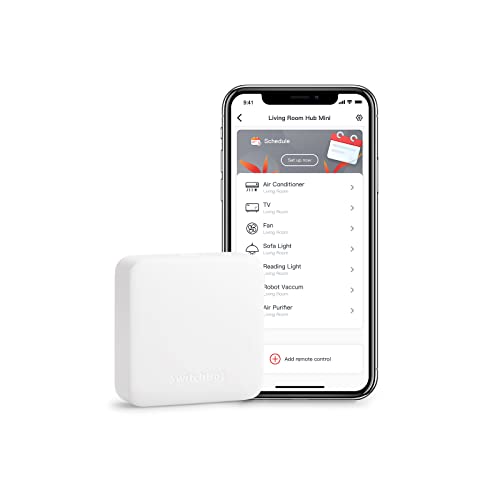
SwitchBot Hub Mini Smart Remote – IR Blaster
SwitchBot
Budget
Tapo Wi‑Fi Smart Plug with Energy Monitoring (2.4G) 4-Pack
Tapo
Budget
Meross 2-in-1 WiFi Smart Plug, 2 outlets (2.4G) 15A
meross
Budget
Philips Hue Bridge hub for smart lighting control
Philips Hue
Mid-Range
SONOFF Zigbee Switch SNZB-01P wireless push button
SONOFF
Budget
SwitchBot Hub 2 (2nd Gen) WiFi Thermometer Hygrometer
Wonderlabs
Mid-Range
TP-Link Tapo 9-in-1 Outlet Extender with USB & Night Light
Tapo
Mid-Range
Zooz 800LR Z-Wave Scene Controller ZEN32 (White) – hub required
ZOOZ
Mid-Range
SONOFF Zigbee Bridge Pro Hub – ZigBee 3.0 Gateway
SONOFF
Budget
THIRDREALITY ZigBee smart button 2-pack remote control
THIRDREALITY
Budget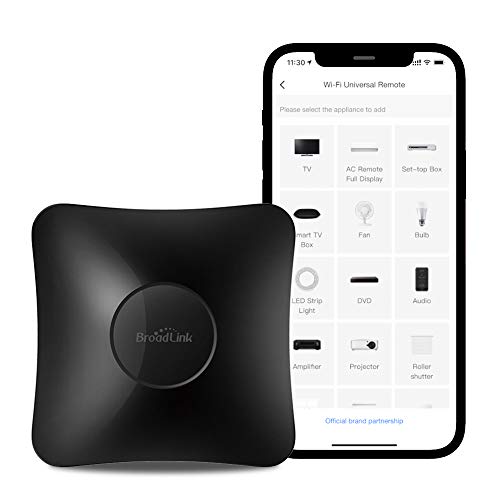
BroadLink RM4 pro IR and RF universal remote
Broadlink
Mid-Range
Lutron Caseta Smart Hub for Lights & Fans
Lutron
Mid-Range
SwitchBot Hub Mini Smart Remote - IR Universal Remote, WiFi IR Blaster
SwitchBot
Budget
THIRDREALITY ZigBee smart button 3-pack
THIRDREALITY
Mid-Range
SwitchBot 3-Pack Button Pusher with Hub Mini
SwitchBot
Premium
Broadlink RM4 Pro Smart IR/RF Hub
Broadlink
Mid-Range
Home Assistant Z-Wave Adapter for Home Assistant
Nabu Casa
Mid-Range
Automatic Curtain Opener for 3 Rods with Bluetooth & WiFi
SwitchBot
Mid-Range
TP-Link Tapo Smart Hub with Built-In Chime
Tapo
Mid-Range
Sensibo Sky: smart wireless AC controller for DIY setup
Sensibo
Mid-Range
Sensibo Sky: smart wireless AC controller
Sensibo
Mid-Range
Onvis Smart Button with 5-keys Scene Control
ONVIS
BudgetRoundups
Frequently Asked Questions
How do I choose the right home automation hub or controller for my needs?
Pick a hub based on compatibility with your existing devices and protocols (Zigbee, Z-Wave, Wi‑Fi, Bluetooth, or proprietary). Consider required integrations (voice assistants, cloud services), number of devices you plan to connect, and whether you need local-only control for privacy or cloud features for remote access
What protocols and device compatibility should I check before buying?
Verify the hub supports the wireless protocols used by your devices (common ones are Zigbee, Z‑Wave, and Wi‑Fi) and check for specific brand or device compatibility lists. Also confirm support for standard smart home APIs and integrations you rely on, such as MQTT, HomeKit, or other automation platforms
Are there budget-friendly versus advanced options and how do prices compare?
Entry-level hubs and simple Wi‑Fi controllers are commonly available in budget tiers under $50, while multiprotocol or feature-rich controllers average around $50–$150; enterprise or gateway-class units can cost more. The average price in this category is around $70–$90, but choose based on needed features rather than price alone
How important is local control and offline functionality?
Local control keeps automations running without internet and can improve privacy and reliability; some hubs offer full local processing, others rely on cloud services for automations and remote access. Decide how critical offline operation is for safety or privacy and confirm the hub’s local vs cloud capabilities
What security and privacy aspects should I consider?
Look for hubs with regular firmware updates, secure authentication (strong passwords, optional two-factor), encrypted communications, and a clear privacy policy about data handling. Prefer devices that allow local control and minimize unnecessary cloud data sharing if privacy is a priority
How do I plan capacity and performance for the number of devices and automations?
Check the manufacturer’s supported device count and recommended limits, account for protocol mesh requirements (some Z‑Wave/Zigbee meshes need sufficient mains-powered nodes), and evaluate CPU/memory specs if you expect many concurrent automations or third‑party plugins
What ongoing maintenance should I expect after purchase?
Expect occasional firmware and app updates, periodic network or pairing maintenance when adding devices, and backups of hub configurations if supported. Regularly check for security patches and keep credentials updated to maintain reliability and safety