Creative Pebble V2 desktop speakers, USB-C powered vs Redragon GS560 RGB Desktop Soundbar for PC
Overall winner: Creative Pebble V2 desktop speakers, USB-C powered
Key Differences
Choose Creative Pebble V2 if you want compact USB-C-powered desktop speakers with a higher average rating (4.50 from 11,322 reviews), front-facing volume control, and a minimal design. Choose the Redragon GS560 if you prioritize RGB lighting modes and a soundbar form factor, but note it has a slightly lower average rating (4.30 from 4,890 reviews) and some reports of a right-speaker issue
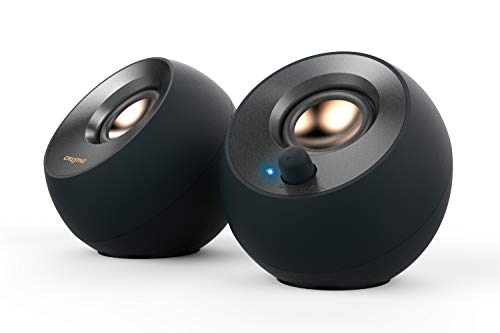
Creative Pebble V2 desktop speakers, USB-C powered
Compact 2.0 desktop speakers with USB-C power and 3.5 mm AUX-in for computers. Built-in gain for higher output and clear highs/mids, with angled drivers for direct listening
Pros
- USB-C power with AUX-in connectivity
- Front-facing volume control
- Angled full-range drivers for direct projection
- Includes USB-C to USB-A adapter for older computers
Cons
- Rear-facing passive radiators may limit bass depth
- Powered via USB-C, may require powered USB port

Redragon GS560 RGB Desktop Soundbar for PC
RGB 2.0 channel desktop soundbar with dynamic lighting and touch volume. Provides clear sound with enhanced bass and a subtle backlit display; easy setup and adjustable RGB colors noted by users
Pros
- rgb lighting with multiple modes
- easy setup and smooth volume control
- compact under-monitor placement
- usb powered with 3.5mm cable
Cons
- mixed feedback on sound quality
- reports of right speaker issues by some users
- some users find lighting not appealing
Head-to-Head
| Criteria | Winner |
|---|---|
| Price | Creative |
| Durability | Tie |
| Versatility | Creative |
| User Reviews | Creative |