Air Mouse Green Light Presenter Remote vs Kensington Wireless Presenter with Red Laser Pointer
Overall winner: Air Mouse Green Light Presenter Remote
Key Differences
DinoFire (A) pairs an air-mouse with a green pointer and rechargeable long runtime, and is listed at a more affordable price tier; Kensington (B) is a simpler 4-button presenter with a red laser and a 2.4GHz wireless range. Choose DinoFire if you want air-mouse cursor control and rechargeable operation; choose Kensington if you prefer a straightforward 4-button layout and a conventional red laser with known wireless range
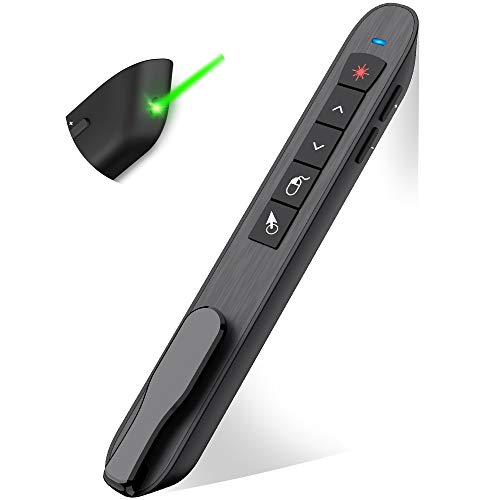
Air Mouse Green Light Presenter Remote
Rechargeable air mouse and presenter remote with wireless cursor control. 8-10 hour runtime, auto sleep, bright green indicator for visibility. Users appreciate ease of use and compact design, but durability concerns are noted
Pros
- air mouse and presenter in one
- wireless cursor control
- rechargeable with long runtime
- auto sleep to save energy
Cons
- durability concerns with USB receiver
- laser pointer may fail after months
- some reports of device failure after one month

Kensington Wireless Presenter with Red Laser Pointer
Wireless presenter with 4-button layout for slide control and a red laser pointer. Plug-and-play 2.4GHz wireless with a 65-foot range and AES 128-bit encryption. Customers note ease of use and cross-device compatibility
Pros
- 4-button slide control
- red laser pointer for emphasis
- plug-and-play wireless with long range
- AES 128-bit encryption
Cons
- design mixed reviews
- USB receiver storage spot not present
Head-to-Head
| Criteria | Winner |
|---|---|
| Price | DinoFire |
| Durability | Kensington |
| Versatility | DinoFire |
| User Reviews | DinoFire |