Anker USB-C Hub for MacBook 8-in-2 with HDMI, SD, USB-A/C vs Powered USB 3.0 Hub with 11 ports and 4 smart charging ports
Overall winner: Anker USB-C Hub for MacBook 8-in-2 with HDMI, SD, USB-A/C
Key Differences
Anker's USB-C Hub (A) is a compact MacBook-focused 8-in-2 hub with multi-port expansion and higher review volume, and it sits at a more affordable price tier. WENTER's 11-port hub (B) provides more raw USB ports (7 data + 4 charging) and individual LED on/off switches but has mixed reliability reports and some disconnect complaints

Anker USB-C Hub for MacBook 8-in-2 with HDMI, SD, USB-A/C
Anker USB-C hub expands MacBook ports with 2 USB-C, 1 USB-C data, 2 USB-A, HDMI, and SD slot. Delivers versatile connectivity and a sleek build, praised for quality and compatibility
Pros
- multi-port expansion
- sleek design and build quality
- compatibility with MacBook models
- includes HDMI and SD card slot
Cons
- possible overheating when HDMI and power used simultaneously
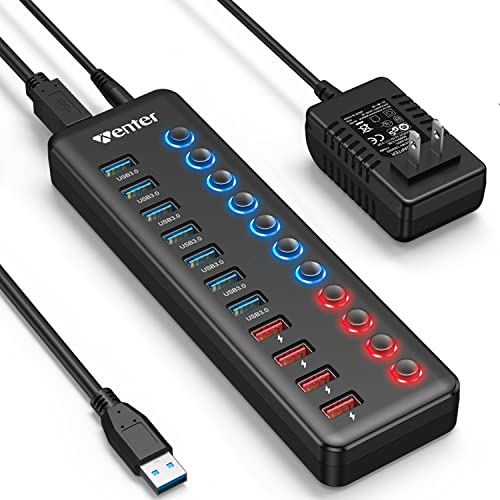
Powered USB 3.0 Hub with 11 ports and 4 smart charging ports
Expandable USB 3.0 hub adds 7 data ports plus 4 smart charging ports with individual LED switches. Benefits include quick data transfer and device charging; users note mixed results on port reliability
Pros
- 7 data USB 3.0 ports
- 4 dedicated smart charging ports
- individual LED on/off switches
- powered hub for external devices
Cons
- mixed functionality reports
- some ports may stop working
- mixed connection quality
Head-to-Head
| Criteria | Winner |
|---|---|
| Price | Anker |
| Durability | WENTER |
| Versatility | Anker |
| User Reviews | Anker |