USB SSD Floppy Drive Emulator for 1.2MB floppy disks vs VGEBY SFR1M44-U100 USB floppy drive emulator
Overall winner: USB SSD Floppy Drive Emulator for 1.2MB floppy disks
Key Differences
VGEBY (A) is the more affordable option and highlights secure data retention and a root directory search feature suited to industrial use. Pomya (B) emphasizes broader file-system support (FAT12/16/32), explicit auto-save behavior, and is targeted specifically at 1.2MB floppy compatibility, making it better when FAT support or that disk size is required

USB SSD Floppy Drive Emulator for 1.2MB floppy disks
Plug-and-play floppy drive emulator for 1.2MB disks with FAT32/16/12 support and automatic data save on power-off. Useful for industrial control equipment and flat knitting machines. customer insight: data can be securely managed
Pros
- Plug-and-play installation
- Supports FAT16/32 and FAT12 formats
- Auto-saves data when powered off
- Built-in memory for data switching
Cons
- Limited to 1.2MB floppy disk compatibility
- Provided customer insight is minimal
- May require FAT32 usage on U disk
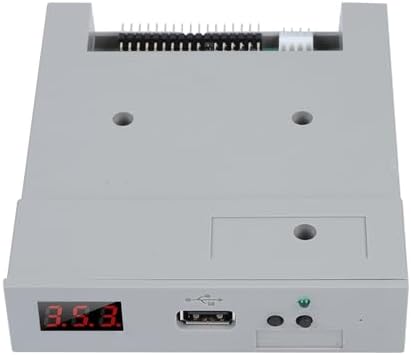
VGEBY SFR1M44-U100 USB floppy drive emulator
USB floppy drive emulator for industrial equipment with root directory search and 99-folder support. Provides secure data retention even when power is off. Easy to install and use
Pros
- easy to install and use
- secure data retention when powered off
- root directory search feature
- supports 99 folders
Cons
- limited customer feedback available
- product specifics rely on industrial use cases
Head-to-Head
| Criteria | Winner |
|---|---|
| Price | VGEBY |
| Durability | Tie |
| Versatility | Pomya |
| User Reviews | Pomya |