Logitech wireless keyboard and mouse combo with SilentTouch vs Gaming keyboard and mouse combo K1 with RGB backlight
Overall winner: Logitech wireless keyboard and mouse combo with SilentTouch
Key Differences
Choose Logitech MK295 (A) if you want a quieter experience and a full keyboard with numpad and media shortcuts; it also sits at a more affordable price tier. Choose MageGee K1 (B) if RGB backlighting and a gaming-style floating keycap layout are important, but note mixed reports about key reliability for gaming and some random key failures
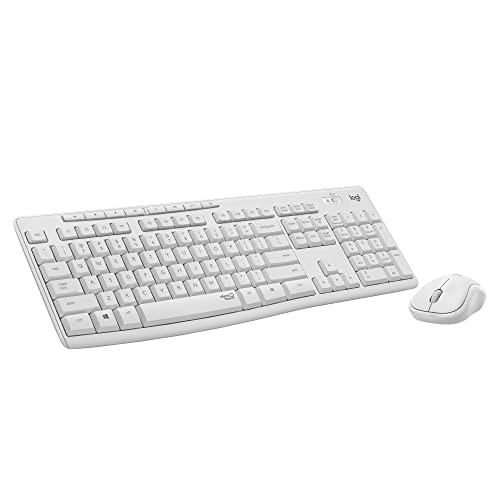
Logitech wireless keyboard and mouse combo with SilentTouch
Wireless keyboard and mouse combo with SilentTouch for 90% less noise and a full numpad. One-touch access to play/pause, volume, mute, and internet; positive feedback on quiet typing and crisp tactile feel
Pros
- SilentTouch technology reduces noise
- Full-size keyboard with numpad
- One-touch media controls
- Contoured, portable shape
Cons
- Keyboard may stop working after a few months (customer insight)
- Mouse size may be too large or too small for some users
- Connectivity experiences vary

Gaming keyboard and mouse combo K1 with RGB backlight
K1 wired keyboard with 104-key layout and RGB backlight, plus mouse. Ergonomic design and plug-and-play setup with no driver needed. Customers note good quality, smooth feel, and colorful backlighting as a key appeal
Pros
- 104-key full-size keyboard
- RGB backlight with multiple colors
- plug-and-play, no software needed
- ergonomic key layout for comfort
Cons
- some reports of keys stopping randomly
- possible reliability concerns with keyboard functionality
Head-to-Head
| Criteria | Winner |
|---|---|
| Price | Logitech |
| Durability | Tie |
| Versatility | Logitech |
| User Reviews | Tie |