USB C Docking Station Dual Monitor with 2 HDMI vs Selore 8-in-1 USB-C hub with dual HDMI for MacBook Pro/Air
Overall winner: Selore 8-in-1 USB-C hub with dual HDMI for MacBook Pro/Air
Key Differences
Selore&S-Global's Selore hub (A) offers 8-in-1 expansion including SD/TF slots and USB 3.0 up to 5Gbps plus dual HDMI supporting up to 4K@60Hz on supported MacBooks; LIONWEI's dock (B) emphasizes 100W Power Delivery and plug-and-play dual 4K HDMI but is limited to macOS mirror-only for triple displays and has reported compatibility issues. Choose A if you want more port variety and higher-rated user feedback; choose B if you prioritize higher PD wattage and simple plug-and-play setup
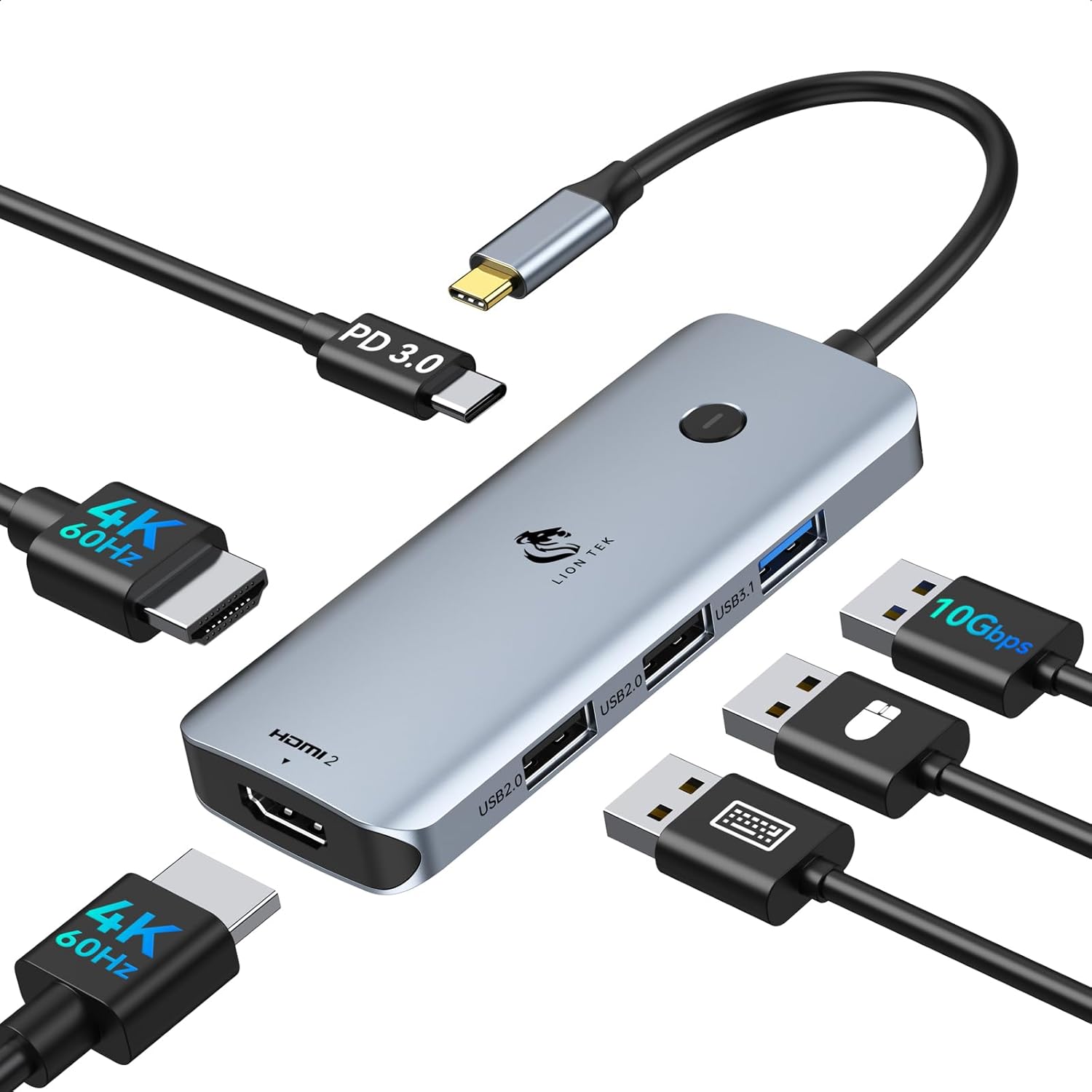
USB C Docking Station Dual Monitor with 2 HDMI
USB C hub converts a USB-C port into 6 ports with 2 HDMI outputs and USB-A. Plug and play; supports extended or split screen modes. Customer insight highlights ease of use and mixed compatibility concerns
Pros
- 2 HDMI outputs for dual display
- Plug and play, no driver needed
- 6-in-1 port expansion (HDMI, USB-A, USB-C PD)
Cons
- macOS mirror-only triple display on some setups
- possible HDMI port compatibility issues with some devices
- mixed reliability reported for connections

Selore 8-in-1 USB-C hub with dual HDMI for MacBook Pro/Air
USB-C dock extends two HDMI displays and adds 2 USB-A ports, USB-C port, SD/TF reader, and 100W PD pass-through for MacBook Pro/Air. Customers report easy, plug-and-play setup and multi-monitor support, with some fit issues depending on laptop model
Pros
- dual HDMI display support up to 4K@60Hz
- 2 USB-A ports + USB-C pass-through
- SD/TF card reader
- 100W PD power delivery
Cons
- monitor support may drop to one screen with certain Macs when using two extra monitors
- fit can be flush or misaligned on some laptops
- mixed performance on functionality and connectivity
Head-to-Head
| Criteria | Winner |
|---|---|
| Price | Selore&S-Global |
| Durability | Tie |
| Versatility | Selore&S-Global |
| User Reviews | Selore&S-Global |