PCIE USB 3.0 Expansion Card (7 ports) vs FS-E2C-Pro USB 3.1 Gen2 x4 to 2x USB-C 10Gbps PCIe card
Overall winner: PCIE USB 3.0 Expansion Card (7 ports)

PCIE USB 3.0 Expansion Card (7 ports)
A PCIe USB 3.0 expansion card with 7 ports (5 Type-A, 2 Type-C) for Windows, macOS, and Linux. Enables plug-and-play USB expansion with easy installation, valued for quality and versatility, though some users report port and reliability issues
Pros
- 7-port USB 3.0 expansion
- Includes Type-C and Type-A ports
- Plug-and-play compatibility
- Easy installation
Cons
- Some ports may fail after extended use
- Mixed reports on speed vs USB 3.0
- Possible USB A port blockage or driver issues
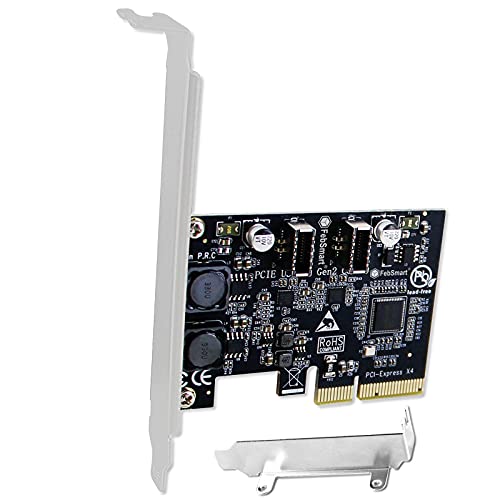
FS-E2C-Pro USB 3.1 Gen2 x4 to 2x USB-C 10Gbps PCIe card
FebSmart FS-E2C-Pro adds 2x USB 3.1 Gen2 type E key A ports, extending to 2x 10Gbps USB-C front-panel ports for desktops and workstations. Provides up to 10Gbps transfer for USB-C devices; mixed feedback on power delivery and connectivity
Pros
- adds 2x usb 3.1 gen2 ports
- front-panel usb-c expansion
- plug-and-play installation
- high-speed 10gbps capability
Cons
- mixed functionality and connectivity
- power delivery issues reported
- inconsistent performance
Head-to-Head
| Criteria | Winner |
|---|---|
| Price | YEELIYA |
| Durability | FebSmart |
| Versatility | YEELIYA |
| User Reviews | YEELIYA |