Lexar CFexpress Type B USB 3.2 reader LRW550U-RNBNU vs CFexpress Type A/SD Card Reader with USB-C & USB-C/USB-A Cable
Key Differences
Lexar (A) targets high raw read performance with stated read speeds up to 1700MB/s and a USB 3.2 Gen 2x2 interface in a compact design; Rocketek (B) offers broader media support with a dual-slot for CFexpress Type A and SD cards and a 10Gbps USB 3.2 connection plus included cables. Choose Lexar if top read throughput and a compact single-format reader matter; choose Rocketek if you need multi-format versatility (CFexpress Type A + SD) and included cabling

Lexar CFexpress Type B USB 3.2 reader LRW550U-RNBNU
CFexpress Type B reader with up to 1700MB/s read speeds for RAW 8K and high-quality images. Portable and compact for on-the-go workflows. Customers note fast transfers and solid build quality
Pros
- high read speeds up to 1700MB/s
- usb 3.2 gen 2x2 interface
- compact, portable design
- includes dual USB cables (C to C and C to A)
Cons
- no explicit compatibility beyond CFexpress Type B cards mentioned
- no mention of additional card formats
- no bundled power options
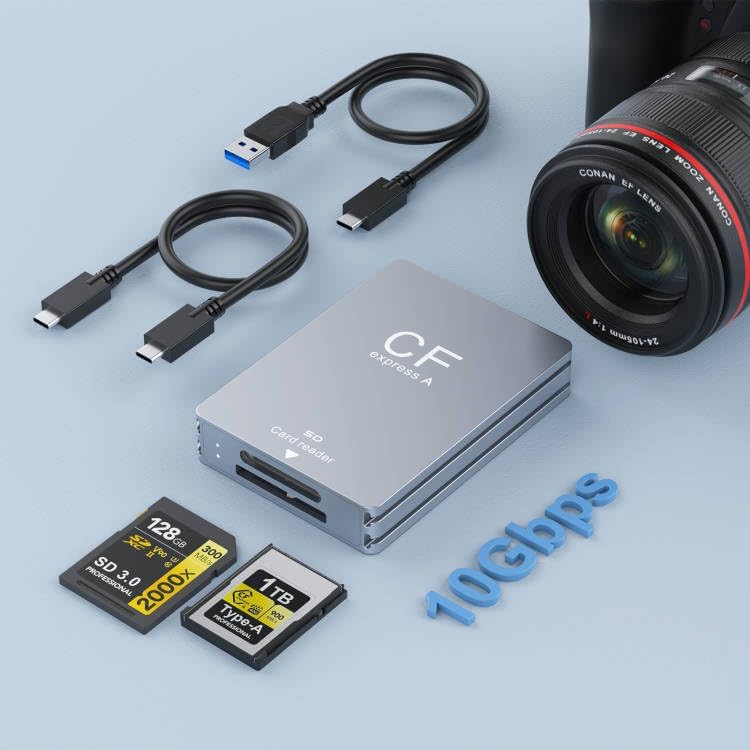
CFexpress Type A/SD Card Reader with USB-C & USB-C/USB-A Cable
Dual-slot card reader compatible with CFexpress Type A and SD cards. Transfers up to 10Gbps via USB 3.2 Gen 2, with USB-C to USB-C/USB-A cable included
Pros
- dual-slot CFexpress Type A and SD support
- high-speed 10Gbps transfers
- USB-C to USB-C/USB-A cable included
- cross-platform compatibility (Windows/Mac/Linux/Android)
Cons
- no internal battery
- no microSD support
- no detailed compatibility matrix in data
Head-to-Head
| Criteria | Winner |
|---|---|
| Price | Rocketek |
| Durability | Tie |
| Versatility | Rocketek |
| User Reviews | Lexar |