Razer Phantom Keycap Upgrade Set vs JSJT Ink Lotus PBT Dye-Sub Keycaps (140) OEM Profile for MX switches
Overall winner: JSJT Ink Lotus PBT Dye-Sub Keycaps (140) OEM Profile for MX switches
Key Differences
Choose Razer (A) if you want pudding-style keycaps that emphasize RGB visibility and a minimalist, legendless top look with bottom-lasered legends; it also sits in a more affordable price tier. Choose JSJT (B) if you prefer PBT dye-sub material with a matte finish and wider compatibility with MX switches and slightly higher average user ratings

Razer Phantom Keycap Upgrade Set
Unique pudding keycaps with stealth tops and translucentsides for RGB effect; bottom-lasered legends. Customers note quality, tactile feel, and mixed lighting/color brightness
Pros
- stealth, legendless tops for minimalist look
- translucent sides enhance RGB visibility
- bottom-lasered legends for durability
- includes keycap removal tools & stabilizers
Cons
- mixed reviews on brightness and color accuracy
- mixed keyboard fit with certain keyboards
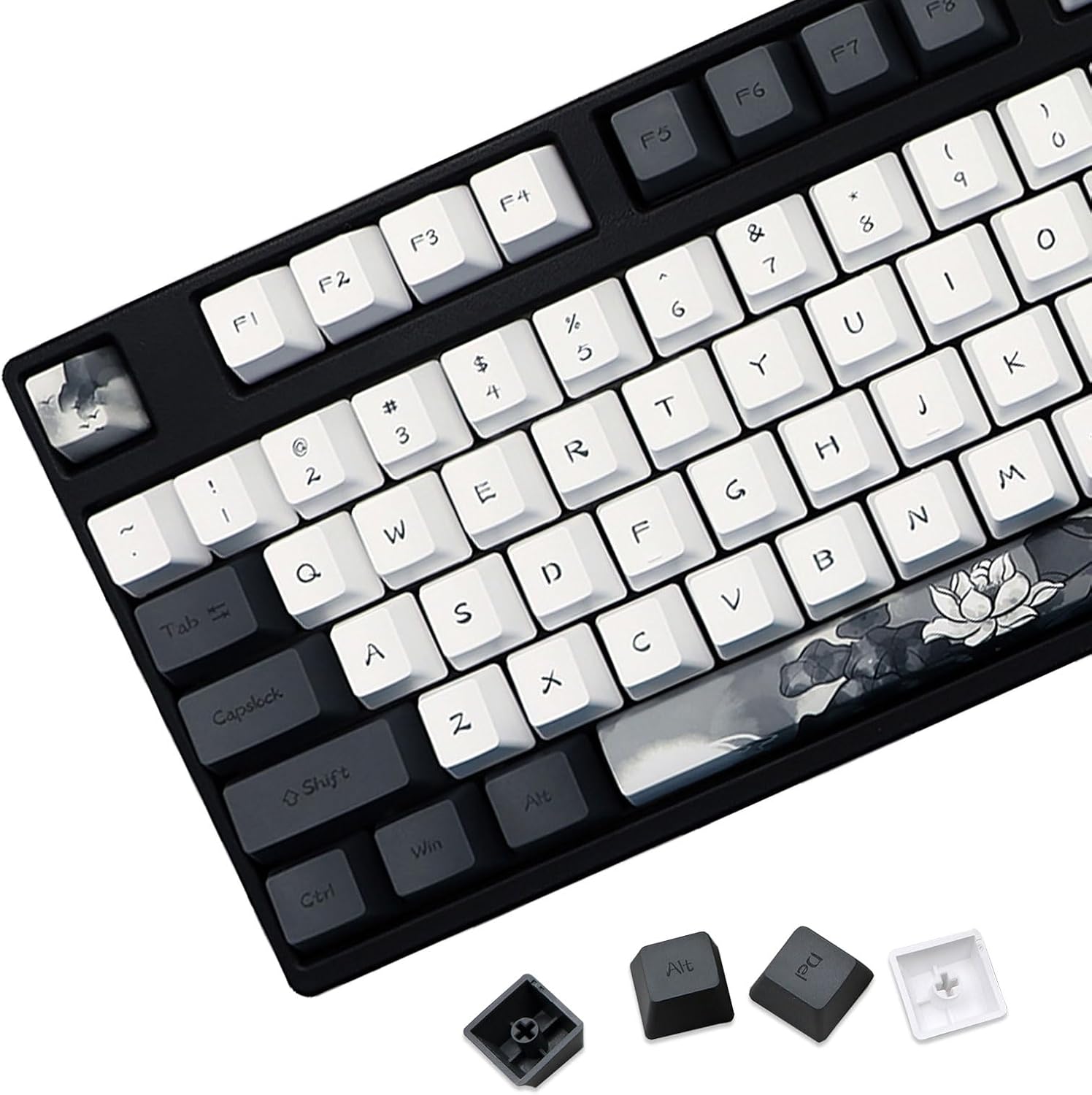
JSJT Ink Lotus PBT Dye-Sub Keycaps (140) OEM Profile for MX switches
PBT dye-sub keycaps with wide compatibility for ANSI/ISO layouts. Smooth matte finish and good typing feel, with multiple size options for various keyboards
Pros
- PBT dye-sub keycaps
- Wide compatibility with MX switches
- Matte finish and smooth feel
- Multiple size options for different layouts
Cons
- Some users note fit on certain keyboards may vary
- Limited to compatible MX-style switches
Head-to-Head
| Criteria | Winner |
|---|---|
| Price | Razer |
| Durability | JSJT |
| Versatility | Razer |
| User Reviews | JSJT |