Logitech MX Keys Mini Keyboard + MX Anywhere 3S Mouse (Pale Grey) vs Logitech Wave Keys Wireless Ergonomic Keyboard with Lift Mouse
Overall winner: Logitech Wave Keys Wireless Ergonomic Keyboard with Lift Mouse
Key Differences
Pick A (Logitech Wave Keys with Lift Mouse) if you prioritize an ergonomic full-size keyboard with a cushioned palm rest and a vertical Lift mouse that promotes natural forearm posture; A also has a lower listed price and more user reviews. Pick B (Logitech MX Keys Mini + MX Anywhere 3S) if you want a compact, minimalist, backlit keyboard with a high-mobility MX Anywhere 3S mouse and flexible USB-C/Bluetooth connectivity

Logitech MX Keys Mini Keyboard + MX Anywhere 3S Mouse (Pale Grey)
Compact wireless keyboard and mouse duo designed for ergonomic comfort with backlit keys and fast scrolling. Customer notes include long battery life and quiet operation, with mixed opinions on Bluetooth stability
Pros
- compact, minimalist design
- backlit keys
- wireless versatility (USB-C and Bluetooth)
- quiet mouse operation
Cons
- mixed feedback on Bluetooth reliability
- mixed opinions on scrolling responsiveness
- size may be too small for some users
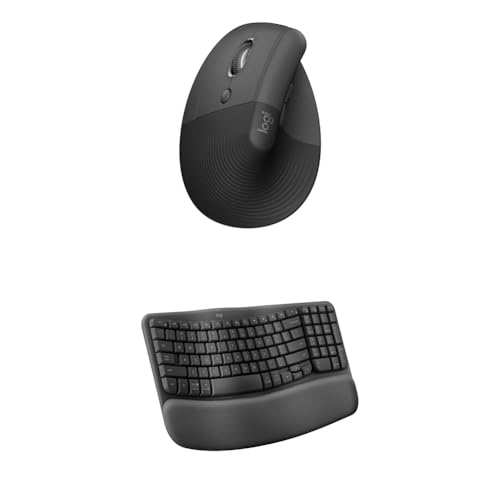
Logitech Wave Keys Wireless Ergonomic Keyboard with Lift Mouse
Ergonomic keyboard and Lift vertical ergonomic mouse combo for multi-OS use. Improves posture and wrist comfort with a cushioned palm rest. Customers note reduced strain and easy Bluetooth setup, with mixed opinions on size and some left-click issues
Pros
- ergonomic keyboard with cushioned palm rest
- lift vertical ergonomic mouse promotes natural forearm posture
- multi-OS compatibility (Windows/macOS/iPadOS)
- easy Bluetooth connectivity
Cons
- mixed reviews on mouse size
- some reports of left-click issues
- reviews indicate varying functionality
Head-to-Head
| Criteria | Winner |
|---|---|
| Price | Logitech |
| Durability | Tie |
| Versatility | Logitech |
| User Reviews | Logitech |