Computer Internal Components
This category covers internal computer components—storage drives, memory modules, motherboards, power supplies and related electronics—used to build or upgrade PCs. Products range from budget to premium options (average price (price varies)) and include brands such as Seagate and Western Digital among the indexed items
Top Products

Kingston NV3 500GB NVMe SSD M.2 2280 PCIe 4.0
Kingston
Mid-Range
Seagate BarraCuda 4TB Internal HDD 3.5" SATA 6 Gb/s
Seagate
Mid-Range
Seagate BarraCuda 2TB Internal HDD (3.5" SATA 6Gb/s, 7200 RPM, 256MB Cache)
Seagate
Mid-Range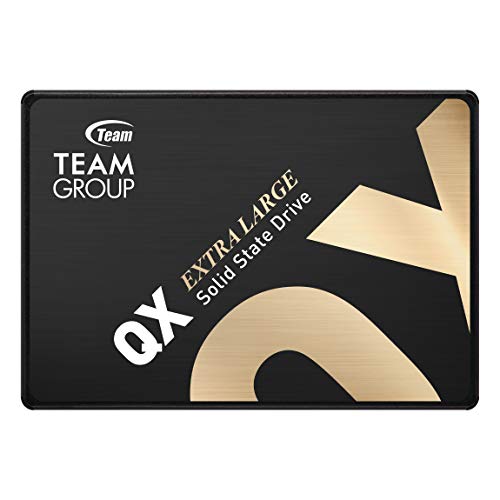
TEAMGROUP QX 1TB SATA III SSD
TEAMGROUP
Mid-Range
Kingston NV3 1TB NVMe SSD M.2 2280 PCIe 4.0
Kingston
Mid-Range
FX815 512GB 2.5" SATA SSD for laptops and desktops
Fikwot
Budget
TEAMGROUP T-Force Vulcan Z 1TB SATA SSD
TEAMGROUP
Mid-Range
FX550 NVMe SSD 512GB M.2 PCIe 3.0 drive
Fikwot
Budget
LinkMore XE300 SE 512GB NVMe M.2 SSD
LinkMore
Budget
WD Black 320 GB 2.5" 7200 RPM SATA II HDD
Western Digital
Mid-Range
fanxiang 512GB SATA SSD 2.5'' 6Gb/s 3D NAND SLC Cache
fanxiang
Budget
ORICO 512GB NVMe SSD PCIe 4.0 M.2 2280
ORICO
Mid-Range
FX550 NVMe SSD 1TB M.2 PCIe 3.0 drive
Fikwot
Mid-Range
WD Blue 500GB 2.5-inch SATA HDD
Western Digital
Budget
Crucial T500 PCIe Gen4 NVMe 1TB SSD
Crucial
Mid-Range
MMOMENT 512GB 2.5" SATA III SSD
MMOMENT
Budget
Kingston NV3 2TB NVMe SSD – PCIe 4.0, 6000 MB/s
Kingston
Mid-Range
MMOMENT MP34 SE 512GB NVMe M.2 SSD
MMOMENT
Budget
FX815 1TB 2.5" SATA SSD
Fikwot
Mid-Range
KLEVV CRAS C715 512GB NVMe SSD
KLEVV
Mid-Range
TEAMGROUP MP44Q 1TB NVMe SSD
TEAMGROUP
Mid-Range
WD 160 GB 2.5-inch SATA Notebook Hard Drive
Western Digital
Mid-Range
TEAMGROUP NV5000 1TB NVMe SSD
TEAMGROUP
Mid-Range
Western Digital Caviar Blue 640GB 3.5" SATA II HDD
Western Digital
BudgetRoundups
- Best Computer Internal Components for Gaming Storage (2026)
- Best Computer Internal Components for Backup Drive (2026)
- Best Computer Internal Components Under $200 (2026)
- Best Computer Internal Components Under $100 (2026)
- Best Computer Internal Components Under $50 (2026)
- Best Computer Internal Components (2026 Guide)
Frequently Asked Questions
How do I choose the right internal component for my computer?
Identify the component type you need (storage, memory, GPU, motherboard, power supply), check compatibility with your motherboard and case (form factor, connector types, interface standards like SATA/PCIe, RAM generation), confirm power and cooling requirements, and balance performance needs with your budget
What compatibility checks should I perform before buying?
Verify physical fit (2.5" vs 3.5", ATX/mATX/ITX), interface compatibility (SATA, NVMe/PCIe lanes), CPU/motherboard socket and chipset support for CPUs and RAM, required power connectors and wattage for GPUs or PSUs, and BIOS/support notes from your motherboard maker
How much should I expect to pay for common internal components?
Prices vary by component and performance tier: basic SSDs and HDDs can fall in budget ranges, mainstream components commonly range from about (price varies) to several hundred dollars, and high-performance CPUs/GPUs or enterprise-grade drives tend to cost more; average prices in this category are mid-hundreds of dollars
What are the key specifications to compare for storage drives and memory?
For storage, compare interface (SATA vs NVMe/PCIe), capacity, sequential and random read/write speeds, endurance (TBW/MTBF), and cache type; for memory, compare capacity per module, total supported capacity, speed (MHz), CAS latency, and supported memory standards (DDR4, DDR5)
How can I ensure reliable performance and longevity after purchase?
Install components with proper cooling and airflow, use a quality power supply with adequate wattage and stable rails, keep firmware and drivers updated, follow manufacturer guidelines for handling and installation, and back up critical data regularly for storage devices
Are refurbished or open-box internal components safe to buy?
Refurbished or open-box parts can be cost-effective if sold by reputable sellers with a warranty or return policy; inspect warranty length, refurbishment process, and seller ratings, and ensure compatibility and adequate testing before installation
Do I need to worry about warranty and support for internal components?
Yes; check manufacturer warranty length, what it covers (defects vs. accidental damage), and support channels, since warranty terms affect replacement options and long-term reliability for critical parts like drives, power supplies, and GPUs