Computer Keyboards
This category covers wired and wireless computer keyboards for desktop and laptop use, including mechanical, membrane, and compact layouts across budget through premium price tiers (average $81). It includes brands such as Keychron and Logitech among 952 indexed products with an average rating of 4.42
Top Products

Logitech K400 Plus Wireless Touch TV Keyboard
Logitech
Budget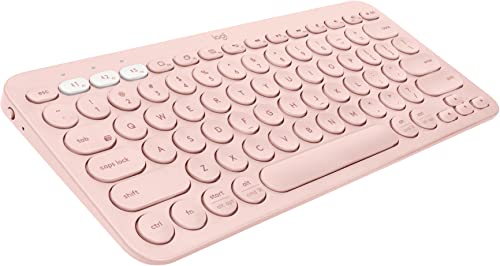
Logitech K380 Multi-Device Bluetooth Keyboard (Rose)
Logitech
Mid-Range
Elgato Stream Deck Mini for shortcuts and productivity
Elgato
Mid-Range
Azio Vision Mac USB-C Keyboard with large-print backlit keys
Azio
Mid-Range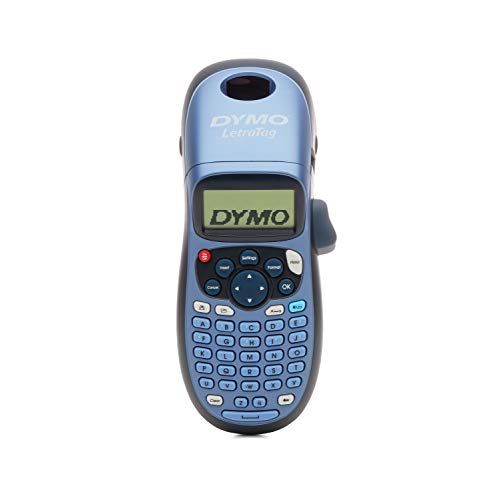
DYMO Letratag LT-100H label maker
DYMO
Mid-Range
Arteck 2.4G Wireless Keyboard with Numeric Keypad
Arteck
Mid-Range
Bluetooth multi-device keyboard K480 with easy-switch dial
Logitech
Budget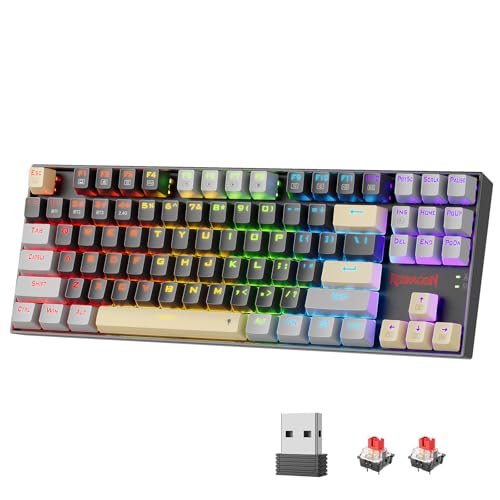
Redragon Tri-Mode Mechanical Keyboard (87-key, BT/2.4Ghz)
Redragon
Mid-Range
Logitech Pebble Keys 2 K380s multi-device keyboard
Logitech
Mid-Range
Arteck USB wired full-size keyboard with backlight and media hotkeys
Arteck
Budget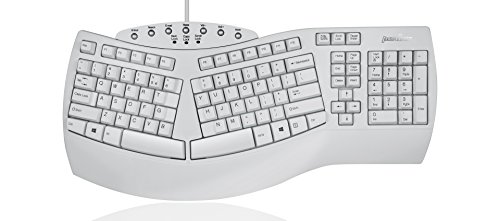
PERIBOARD-512W Ergonomic Split Keyboard (US) by Perixx
Perixx
Mid-Range
Cherry Stream Keyboard wired USB SX scissors mechanism
Cherry
Budget
Redragon 87-key Tri-Mode Wireless Mechanical Keyboard
Redragon
Mid-Range
Rii i4 Mini Bluetooth Keyboard with Touchpad (Black)
Rii
Budget
iClever BK10 Bluetooth keyboard with multi-device support
iClever
Budget
Lenovo Legion K310 Wired Gaming Keyboard
Lenovo
Mid-Range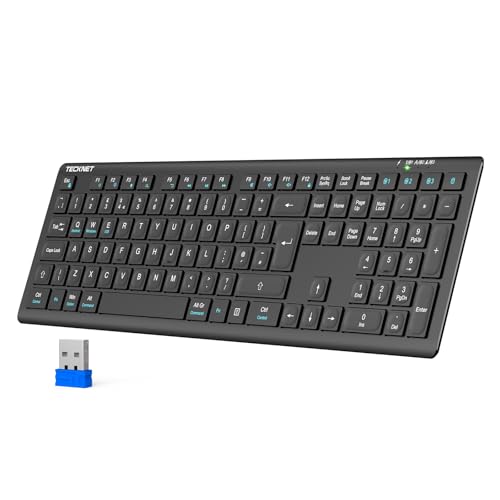
TECKNET 4-mode rechargeable wireless keyboard 4-device switch
TECKNET
Mid-Range
Arteck USB wireless keyboard with numeric keypad
Arteck
Budget
co2CREA Hard Case for Apple Keyboard & Mouse (White)
co2CREA
Budget
Lebakort hard case for Logitech MX Mechanical mini & MX Anywhere 3S
Lebakort
Budget
Hard carrying case for Logitech MX Keys S/Advanced (Graphite)
Lebakort
Budget
Samsers Foldable Bluetooth Keyboard with Touchpad
Samsers
Mid-Range
Cherry Stream Keyboard - wired USB (QWERTY, SX scissors)
Cherry
Mid-Range
Large Print Keyboard for Visually Impaired - High Contrast Keys
Nuklz N
Mid-RangeRoundups
Frequently Asked Questions
How do I choose between mechanical, membrane, and scissor-switch keyboards?
Mechanical keyboards use individual switches for each key and offer distinct tactile/linear feedback and longer durability; membrane keyboards are quieter and typically cheaper with softer key travel; scissor-switch keyboards (common in laptops) provide a low-profile, stable key feel. Choose based on preferred typing feel, noise tolerance, and budget
What should I consider when picking a keyboard layout and size (full-size, tenkeyless, compact)?
Full-size keyboards include a numeric keypad and are good for data entry, tenkeyless (TKL) omit the numpad for more desk space, and compact/60–75% layouts save the most space but may require function-layer access for some keys. Pick a size that fits your desk, workflow, and whether you need a dedicated numpad or function keys
Do wireless keyboards introduce noticeable latency and how is battery life typically handled?
Modern wireless keyboards using Bluetooth or proprietary 2.4 GHz receivers generally have low latency suitable for everyday use; wired connections are still preferred for competitive gaming. Battery life varies widely—rechargeable models can last days to months depending on backlight and usage, while some use replaceable batteries for longer standby time
Which switch characteristics should I look at for typing vs. gaming?
For typing, tactile or clicky switches with a pronounced actuation point can improve feedback and accuracy; for gaming, linear switches with smooth key travel and shorter actuation distance are often preferred for rapid key presses. Consider actuation force, travel distance, and personal comfort rather than brand alone
How important is build quality and what materials/features indicate it?
Look for a sturdy frame (metal or thick plastic), solid key stabilizers (for larger keys), double-shot or PBT keycaps for wear resistance, and reliable switch brands. Features like hot-swappable switch sockets and spill resistance add longevity and ease of maintenance
What are the benefits of programmable keys and onboard memory?
Programmable keys and onboard memory let you assign macros, remap keys, and store profiles directly on the keyboard so settings persist across computers. This is useful for specialized workflows or gaming setups where consistent behavior is required without additional software
How should I clean and maintain a keyboard to extend its lifespan?
Regularly turn off or disconnect the keyboard, use compressed air to remove debris, wipe surfaces with a lightly damp cloth and mild cleaner, and remove keycaps occasionally for deeper cleaning on compatible models. For mechanical keyboards, check stabilizers and switches for debris and consider lubricating or replacing worn components as needed