Computer Recording Audio Interfaces
Computer recording audio interfaces include USB, Thunderbolt, and PCIe devices that convert microphones and instruments to digital audio for home studios and content creation. The category spans budget through premium options (164 products, average rating 4.42) and features brands like Focusrite and Universal Audio among others
Top Products

Focusrite Scarlett Solo 3rd Gen USB Audio Interface
Focusrite
Mid-Range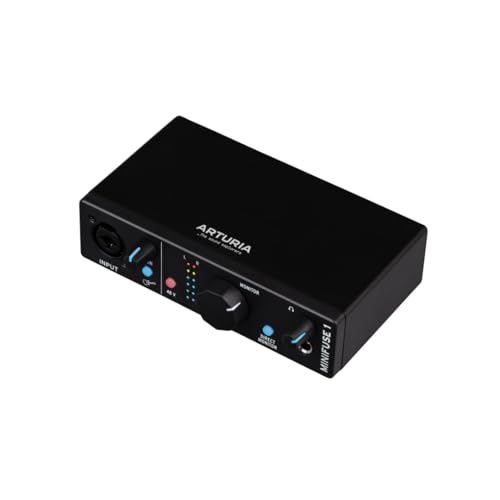
Arturia MiniFuse 1 USB Audio Interface
Arturia
Mid-Range
Behringer audio interface 2x2 with Midas preamps
Behringer
Mid-Range
Pyle USB Microphone Podcast Kit with desktop stand and pop filter
Pyle
Mid-Range
PreSonus Studio 24c USB Audio Interface (2x2) with Studio One
PreSonus
Mid-Range
M-AUDIO M-Track Solo USB Audio Interface
M-AUDIO
Mid-Range
IK Multimedia iRig USB Guitar Audio Interface
IK Multimedia
Mid-Range
Focusrite Scarlett 2i2 Studio 4th Gen USB Audio Interface Bundle
Focusrite
Premium
PreSonus AudioBox 96 USB Audio Interface with Studio One Artist DAW
PreSonus
Mid-Range
M-AUDIO M-Track Duo USB-C Audio Interface 2x2
M-AUDIO
Mid-Range
M-Audio M-Track Duo USB Audio Interface
M-AUDIO
Mid-Range
IK Multimedia iRig 2 portable guitar interface
IK Multimedia
Mid-Range
M-Audio M-Track Solo USB Audio Interface & MPM-1000 Condenser Mic
M-AUDIO
Mid-Range
Arturia MiniFuse 4: compact USB audio & MIDI interface
Arturia
Premium
M-Audio Recording and Studio Bundle: M-Track Duo & BX3 Speakers
M-AUDIO
Premium
M-AUDIO Podcast Bundle: USB Audio Interface, Condenser Mic, Headphones
M-AUDIO
Mid-Range
Rode AI-Micro USB Audio Interface
Rode
Mid-Range
Mackie Onyx Artist 1x2 USB Audio Interface
Mackie
Mid-Range
M-AUDIO AIR 192x4 USB-C audio interface
M-AUDIO
Mid-Range
Shure MVX2U XLR to USB Interface with Headphone Jack
Shure
Mid-Range
MAONO USB Audio Interface PS22 Lite with XLR input
MAONO
Mid-Range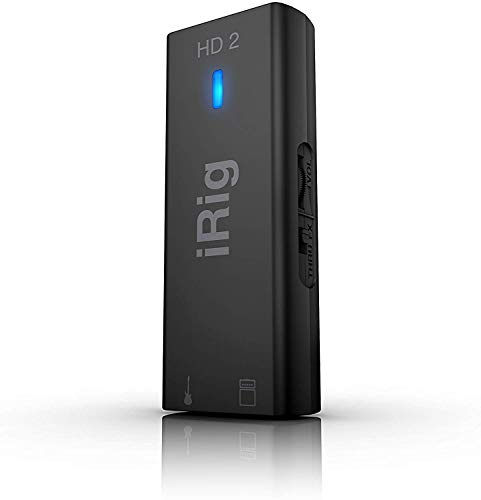
IK Multimedia iRig HD 2 guitar audio interface
IK Multimedia
Mid-Range
Focusrite Scarlett Solo 3rd Gen USB Audio Interface Bundle
Focusrite
Mid-Range
M-Audio AIR 192|4 & HDH40 USB Audio Interface and Headphones
M-AUDIO
Mid-RangeRoundups
- Best Computer Recording Audio Interfaces for Live Streaming (2026)
- Best Computer Recording Audio Interfaces for Podcasting (2026)
- Best Computer Recording Audio Interfaces for Streaming (2026)
- Best Computer Recording Audio Interfaces for Home-Studio Recording (2026)
- Best Computer Recording Audio Interfaces for Podcast Recording (2026)
- Best Computer Recording Audio Interfaces Under $200 (2026)
- Best Computer Recording Audio Interfaces Under $100 (2026)
- Best Computer Recording Audio Interfaces Under $50 (2026)
- Best Computer Recording Audio Interfaces (2026 Guide)
Frequently Asked Questions
How do I choose the right number of inputs and outputs for a recording audio interface?
Match the number of inputs to the number of sources you'll record simultaneously (microphones, instruments) and ensure outputs cover your monitoring setup and any outboard gear; interfaces commonly range from 2-in/2-out for solo use to 8+ inputs for small studios
What should I look for in preamp and converter quality?
Prioritize clean, low-noise preamps with sufficient gain for your microphones and converters with higher sample rates and bit depths (e.g., 24-bit/48–192 kHz) for better dynamic range and fidelity
Which connection type (USB, Thunderbolt, USB-C, or PCIe) should I pick?
Choose a connection supported by your computer that balances latency and bandwidth needs: USB-C/USB 3.0 is common and compatible with many systems, while Thunderbolt and PCIe offer lower latency and higher channel counts for professional setups
How important is low latency and how do I ensure it?
Low latency is important for real-time monitoring and tracking; ensure the interface has efficient drivers, use appropriate buffer size settings in your DAW, and choose a connection with sufficient bandwidth to reduce round-trip latency
Do I need built-in monitoring features like direct monitoring or a talkback mic?
Direct monitoring lets performers hear inputs without DAW latency and is useful for tracking; a built-in talkback mic or input for one is helpful for communication in recording sessions but not essential for basic home use
How does form factor and portability affect my choice?
Compact, bus-powered interfaces are convenient for mobile recording and small setups, while larger rack or desktop units typically offer more I/O and features but require mains power and take up more space
What basic maintenance and compatibility checks should I perform before buying?
Check driver support and OS compatibility for your computer, confirm included cables and power requirements, keep firmware and drivers updated, and protect connectors from dust and rough handling to maintain performance