Digital Kiosks & Interactive Displays
This category covers digital kiosks and interactive displays for signage, wayfinding, point-of-sale, and self-service applications, with models ranging from budget to premium. The 16 indexed products average a 4.50 rating and span about $148–$1,759, with brands like QIXZOCV represented
Top Products

32 inch infrared touch frame overlay for monitor
Chengying
Premium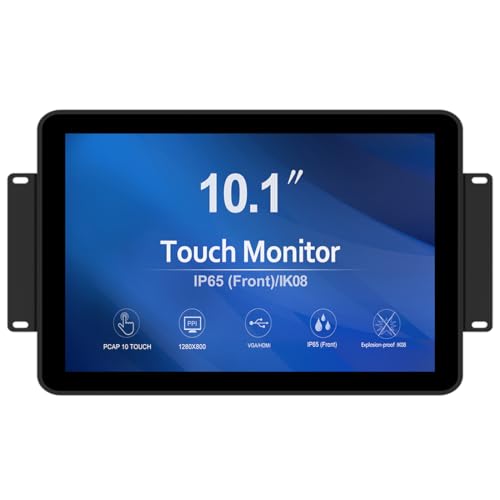
GreenTouch 10.1 inch PCAP touch monitor 1280x800
GreenTouch
Premium
GreenTouch 17 Inch Open Frame Industrial Touch Monitor
GreenTouch
Premium
GreenTouch 15 Inch Open-Frame Touchscreen Monitor
GreenTouch
Premium
GreenTouch 43 inch infrared touch frame for multi-point interaction
GreenTouch
Premium
Chengying 27" Multi-Touch IR Frame (10-point) USB HID
Chengying
Mid-Range
43 inch indoor digital signage LCD screen, Android OS kiosk
YCKJNB
Premium
MWE 37 Inch Touchscreen Kiosk (Indoor Floor Standing) - LCD Digital Signage
QIXZOCV
Premium
15.6" digital signage display with android 11
AYSTekMann
Premium
43" 4K LCD Digital Signage Display — Indoor Floor Kiosk
KEINONE
Premium
Indoor 43 inch digital signage touchscreen kiosk
QIXZOCV
Premium
Indoor digital signage kiosk 49 inch floor standing touchscreen
QIXZOCV
Premium
Topaz T-LBK766SE-BBSB-R Signature Capture Pad
Topaz Systems
Premium
Indoor floor standing digital signage display kiosk
QIXZOCV
Premium
MWE 55" 4K Digital Signage Display Kiosk
QIXZOCV
Premium
MWE 54 Inch Indoor Digital Signage Touchscreen Kiosk Floor Display
QIXZOCV
PremiumRoundups
Frequently Asked Questions
How do I choose the right size and screen type for a digital kiosk or interactive display?
Choose screen size based on viewing distance and content: 21–32 inches for close-range self-service, 43–55 inches for countertop or small-group viewing, and 65+ inches for lobby or signage; pick LCD/LED for bright environments and IPS for wide viewing angles, and consider touch technology (projected capacitive for multi-touch and durability, infrared for large or gloved-use installations)
What connectivity and software features should I look for?
Look for multiple input options (HDMI, DisplayPort, USB), wired and wireless networking (Ethernet and Wi‑Fi), support for content management systems (CMS) or standard web-based signage, and optional peripheral support like cameras, NFC/RFID, or card readers depending on your use case
How much should I expect to spend on a commercial-quality interactive kiosk?
Commercial interactive kiosks and displays vary widely; compact or basic models often start in the low hundreds, mid-range all-in-one units commonly fall in the several hundreds to low thousands, and large-format or custom-built kiosks can cost more—average prices across this category are near the mid-hundreds to around a thousand dollars
What power, mounting, and physical installation considerations matter?
Check power requirements and ventilation needs, confirm VESA mounting compatibility and weight for wall or stand installation, ensure the mounting surface supports the unit and that cable routing and access for service are planned; outdoor units require weatherproofing and temperature control
How do I evaluate durability, warranty, and serviceability?
Assess enclosure materials, rated operating temperature and ingress protection (IP) if applicable, availability of spare parts and upgradeable components, and compare manufacturer or reseller warranties and service plans for onsite repair or replacement options
What security and privacy features should I consider for public-facing kiosks?
Look for tamper-resistant enclosures, secure mounting, OS hardening and remote management tools, encrypted communications, kiosk lockdown or single-app mode, and options to disable cameras or avoid storing personal data to reduce privacy risks
What routine maintenance is required for interactive displays and kiosks?
Perform regular cleaning of screens with manufacturer-recommended cleaners, inspect and tighten mounts and fasteners, check ventilation and filters, update firmware and software for security, and schedule periodic hardware checks for peripherals and connections