Enclosures
Enclosures for electronics and data storage include external drive bays, docking stations, and multi-bay chassis for HDDs/SSDs and peripherals. The category spans budget through mid-range options (about $33–$600, avg $103) and features brands like ORICO among others
Top Products

UGREEN external HDD enclosure for 3.5/2.5 inch SATA drives
UGREEN
Budget
WEme USB 3.0 to SATA/IDE Adapter
WEme
Budget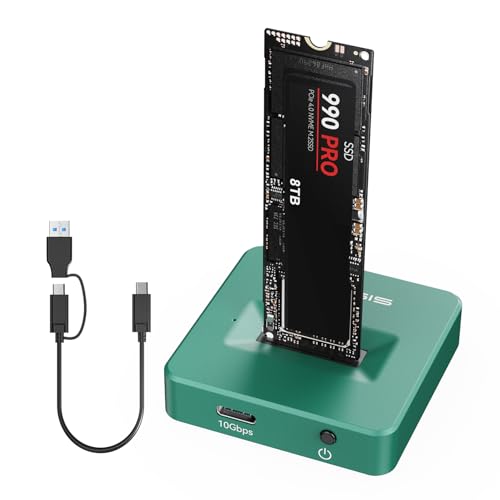
M.2 NVMe to USB C Docking Station
FREEGENE
Budget
ASUS Cobble USB-C NVMe Enclosure
ASUS
Mid-Range
M.2 NVMe & SATA to USB-C Docking Station
FREEGENE
Budget
M.2 NVMe Enclosure 20Gbps USB-C Gen 2x2
MOKiN
Mid-Range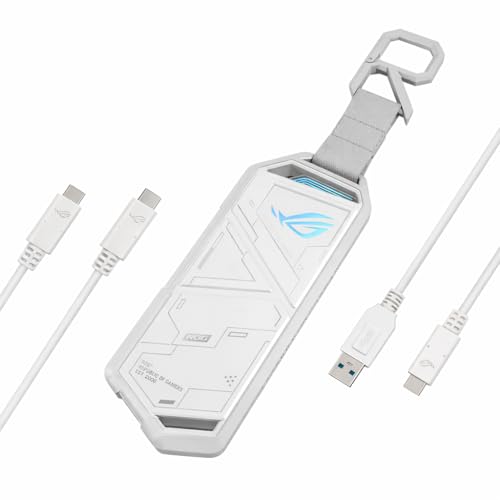
ASUS ROG Strix Arion M.2 NVMe SSD Enclosure
ASUS
Mid-Range
Vantec Nexstar GX USB 3.0 Dual 2.5" SATA Enclosure
Vantec
Mid-Range
ASUS ROG STRIX Arion M.2 NVMe Enclosure
ASUS
Mid-Range
NexStar DX2 USB 3.0 external enclosure for 5.25" optical drives
Vantec
Mid-Range
M.2 NVMe/SATA Enclosure Adapter, Tool-Free USB 3.2 Gen2 10Gbps
Sokiwi
Budget
Aluminum dual bay hard drive enclosure with cooling fan
cenmate
Mid-Range
Sharge M.2 NVMe SSD enclosure with active cooling
sharge
Mid-Range
M.2 NVMe Thunderbolt Enclosure with Cooling
MOKiN
Mid-Range
Evercool dual 5.25 to triple 3.5 HDD cooling box
Evercool
Budget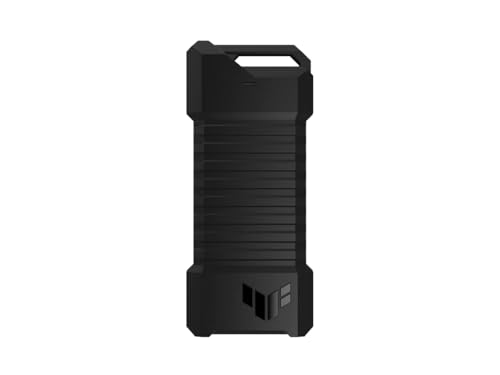
ASUS TUF External M.2 NVMe/SATA Enclosure USB-C
ASUS
Mid-Range
ANYOYO 40Gbps M.2 NVMe SSD Enclosure with Cooling Fan
ANYOYO
Mid-Range
WAVLINK 8-in-1 USB-C Hub with M.2 SSD Enclosure
WAVLINK
Mid-Range
Unitek M.2 NVMe SSD Enclosure Adapter 10 Gbps
Unitek
Mid-Range
ASUS TUF USB-C 3.2 Gen 2x2 Dual M.2 NVMe/SATA Enclosure
ASUS
Mid-Range
Unitek 3-in-1 M.2 NVMe/SATA/IDE Enclosure
Unitek
Budget
Alxum USB-C to SATA/IDE adapter with 3-in-1 enclosure
Alxum
Mid-Range
WORKDONE 12-Pack 2.5" Drive Caddy for Dell PowerEdge
WORKDONE
Mid-Range
OWC Mercury Elite Pro Mini USB-C external storage
OWC
Mid-RangeRoundups
Frequently Asked Questions
How do I choose the right enclosure size and form factor for my device?
Measure the length, width, height, and mounting points of your drive or board and leave clearance for cables and connectors; match those dimensions to the enclosure’s internal bay size and supported drive types (2.5", 3.5", M.2, or SATA/NVMe) and check whether the enclosure is designed for single or multiple drives
What interface and performance should I look for (USB, Thunderbolt, SATA, NVMe)?
Pick an interface that matches your host ports and performance needs: USB 3.0/3.1 Gen 2 offers broad compatibility and moderate speeds, USB4/Thunderbolt provides higher throughput for NVMe drives, and SATA-based enclosures are suitable for HDDs and SATA SSDs; verify supported transfer speeds in the product specs rather than relying on theoretical bus limits
Are there compatibility issues I should be aware of before buying?
Confirm drive type compatibility (M.2 NVMe vs M.2 SATA), supported drive heights and capacities, required file system for your OS, and whether the enclosure needs drivers; also check whether it supports TRIM or UASP if you need optimized SSD performance
What are the important durability and cooling features to consider?
Look for enclosures with metal construction or integrated heat sinks for better heat dissipation, ventilation or thermal pads for M.2 NVMe drives, shock-absorbing mounts for HDDs, and a robust connector (metal-reinforced USB-C/Thunderbolt) to reduce wear
How do I power the enclosure — bus-powered or external adapter?
Small 2.5" SSD/HDD and many M.2 enclosures are commonly bus-powered via USB-C, while 3.5" desktop HDD enclosures usually require an external power adapter; check power requirements in the specs to ensure your setup can supply sufficient current
What should I know about warranties, return policies, and support?
Compare warranty length and what it covers (drive damage, manufacturing defects), look for clear return and RMA procedures, and check whether the manufacturer provides firmware updates or driver downloads for long-term compatibility
How do I maintain and extend the life of an enclosure and the drives inside?
Keep vents clear, avoid prolonged high-temperature operation, securely mount drives to reduce vibration, use safe eject/unmount procedures, and periodically check firmware and connectors for corrosion or wear to maximize lifespan