External CD & DVD Drives
External CD & DVD drives for laptops and desktops, including USB-powered optical burners, readers, and slim portable enclosures. Catalog of 49 products averages a 4.33 rating and mid-range pricing (about $33–$70), with brands like ASUS and SUIDEK represented
Top Products

ASUS ZenDrive external DVD drive with USB-C
ASUS
Mid-Range
External CD/DVD drive with USB ports & TF/SD slots
ORIGBELIE
Mid-Range
ASUS ZenDrive external DVD writer with USB-C & USB 2.0
ASUS
Mid-Range
External CD/DVD Drive with USB 3.0, Ethernet, SD/TF Ports
ORIGBELIE
Mid-Range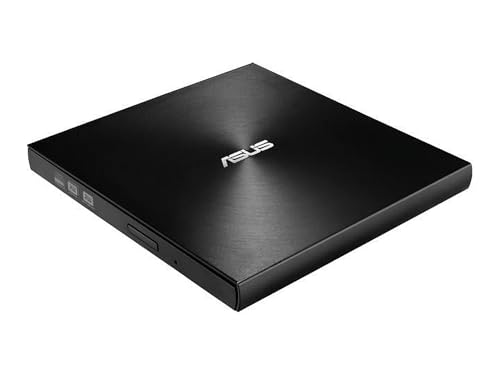
ASUS ZenDrive Ultra Slim External DVD Drive
ASUS
Budget
Asus external USB optical drive (DRW SDRW-08U7M-U) with bonus discs
ASUS
Budget
HP USB External DVDRW Drive
HP
Mid-Range
External CD DVD Drive with USB 3.0 and 2 TF/SD slots
ORIGBELIE
Budget
ASUS ZenDrive External DVD Burner with USB-C & USB 2.0
ASUS
Mid-Range
HP External CD/DVD RW Drive USB Black
HP
Budget
External CD/DVD Drive with USB 3.0, Ethernet, 3 USB ports & 2 TF/SD slots
ORIGBELIE
Mid-Range
HP USB External DVDRW Drive
HP
Mid-Range
Hitachi LG External CD/DVD Drive – USB-C portable optical drive
H L Data Storage
Mid-Range
PeroBuno external CD/DVD drive with USB 3.0 and 4 USB ports
PeroBuno
Budget
External USB 3.0 CD/DVD Drive with SD/TF Card Ports
PeroBuno
Mid-Range
HP external portable slim CD/DVD drive
HP
Mid-Range
Alxum USB DVD Drive External Type-C 3.0 with SD Slot & USB Ports
Alxum
Budget
Alxum USB-C External CD/DVD Drive with SD/USB Ports
Alxum
Budget
Unitek external CD/DVD drive with USB hub
Unitek
Budget
Lenovo Slim DVD Burner DB65 external drive
Lenovo
Mid-Range
External CD/DVD drive for laptop with USB 3.0 hub
BPAKDU
Budget
External CD/DVD Drive with USB Hub and SD Card Reader
SUIDEK
Budget
Guamar external DVD drive with USB-C, SD/TF slots, 2 USB ports
Guamar
Budget
External CD/DVD Drive with USB-C hub for laptop
SUIDEK
BudgetRoundups
Frequently Asked Questions
How do I choose the right external CD/DVD drive for my computer?
Check your computer’s available ports (USB-A or USB-C), ensure the drive supports the disc formats you need (CD-R/RW, DVD±R/RW, DVD±RW DL), and consider speed ratings (e.g., 8x–24x) plus whether you want bus-powered portability or a model that needs external power
Will an external optical drive work with my laptop or tablet?
Most external drives are plug-and-play over USB and work with Windows and macOS; confirm the device supports your OS version and that your tablet or laptop provides sufficient power or use a drive with its own power or a USB Y-cable/adapter if needed
What’s the difference between USB-A and USB-C drives, and which should I buy?
USB-C offers a reversible connector and can provide higher power and transfer rates on modern systems, while USB-A is more universally compatible with older machines; choose USB-C if your device has that port or get a drive with a USB-C to USB-A adapter for broader compatibility
How much should I expect to spend on an external CD/DVD drive?
External optical drives for basic reading and writing commonly range from budget options under $50 to higher-end models with faster speeds or metal housings; average prices for mainstream units are around the low tens of dollars to about (price varies)
Can external drives burn DVDs and create backups?
Yes—many external drives support DVD and CD burning (CD-R/RW, DVD±R/RW); confirm the drive’s write support and pair it with compatible burning or backup software on your computer
Are there reliability or durability differences to consider?
Look for drives with metal or reinforced housings and reputable brand ratings; also check reviews for consistent read/write performance and whether the drive stays stable during disc spins, as cheaper models may have higher failure or noise rates
How do I care for and maintain an external CD/DVD drive?
Keep the drive and discs free of dust, avoid moving the drive while a disc is spinning, use quality discs to reduce write errors, store the drive in a dry environment, and update drivers or firmware if the manufacturer provides them