Remote Controls
This category covers universal and device-specific remote controls for TVs, media players, projectors, and smart home gear, with 107 products indexed and an average rating of 4.38. Prices span about $32 to $399 (average ~(price varies)), with brands like Function101 appearing among top sellers
Top Products

Voice Magic Remote for LG TVs with Pointer
EWO'S
Budget
LG MR21GA remote control replacement for LG TVs
Gvirtue
Budget
Replacement Remote for Apple TV 4K with TV Control
Nettech
Budget
Samsung TV remote with solarcell and voice control
Betterqualityremote
Mid-Range
Rockford Fosgate remote punch level control
Rockford Fosgate
Budget
BUCK AT&T DirecTV RC73 IR/RF Universal Remote
BUCK TAPE AS TOUGH AS A BUCK
Budget
BN59-01391A Solar Voice Remote for Samsung Frame TV
ExploreHome
Mid-Range
BN59-01385A Solar Voice Remote for Samsung TVs
ExploreHome
Mid-Range
Dish 54 Series Remote Control for Hopper
Dish
Mid-Range
VIVCASE Replacement Samsung TV Remote with Voice Control
VIVCASE
Mid-Range
Gvirtue BN59-01432A Solar Remote for Samsung Neo QLED 8K TV
Gvirtue
Budget
Original LG TV Remote for all LG LCD/LED/OLED TVs (MR23GN)
LG
Budget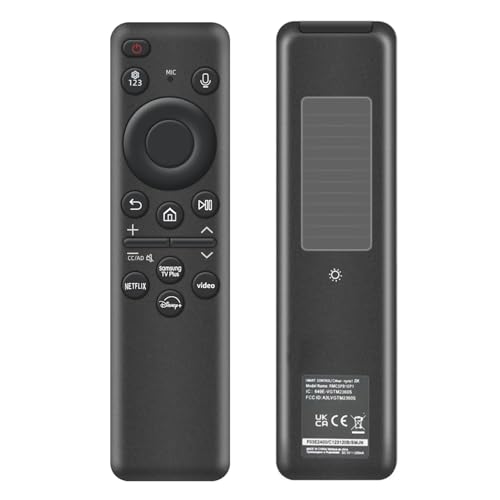
Rechargeable Samsung TV Remote with Solar Charging
Nettech
Mid-Range
BN59-01385A Solar Voice Remote for Samsung Frame TVs
RHINMOFOS
Mid-Range
Original BN59-01457A Smart TV Remote Control
New Remotes
Budget
Rear Overhead Console Remote for Chevrolet/GMC (2014-2020) with DVD
XIMAKA
Budget
BUCK AT&T DirecTV universal remote replacement
BUCK TAPE AS TOUGH AS A BUCK
Mid-Range
Voice Remote for Samsung TVs (BN59-01385A) – Solar Version
VIVCASE
Mid-Range
Insignia Fire TV Replacement Remote for Insignia and Toshiba - Black
INSIGNIA
Mid-Range
Replacement remote for JBL Bar 5.1 Surround Sound Bar
RETROSUN
Mid-Range
F101-ATVRM Replacement Remote for Apple TV
Function101
Mid-Range
Replacement remote for JBL Bar 5.1 & Bar 2.1 (MK2) systems
ZWP
Mid-Range
Feikeer RMF-TX500U Replacement Remote (2 pack) for Sony TV
Feikeer
Mid-Range
12-pack replacement remote for TCL Roku TV
YesBes
BudgetRoundups
Frequently Asked Questions
How do I choose the right remote control for my device?
Match the remote to the device type (TV, soundbar, streaming box, projector, or universal), check compatibility with your device model or protocol (IR, RF, Bluetooth, or Wi‑Fi), and confirm required features like backlighting, macro programming, or voice control before purchasing
What are the differences between infrared (IR), radio frequency (RF), Bluetooth, and Wi‑Fi remotes?
IR remotes require line of sight and work by sending infrared signals, RF remotes can operate through walls without line of sight, Bluetooth pairs directly with compatible devices for two‑way control, and Wi‑Fi remotes can control networked devices and offer remote access or smart‑home integration
Can one remote control multiple devices and how do universal remotes work?
Universal remotes use stored device codes or a learning function to mimic original remotes; many can control multiple device types (TV, receiver, Blu‑ray, etc.) and may support activity‑based macros that operate several devices with a single command
What should I consider regarding battery life and power for remotes?
Check whether the remote uses disposable batteries (AA/AAA) or a rechargeable internal battery, review typical battery life claims (months to years for disposables, hours to weeks for rechargeables), and consider features that affect power use like backlighting, wireless connectivity, or always‑on listening
How reliable are replacement or third‑party remotes compared to brand originals?
Replacement and third‑party remotes often provide core functionality and may cost less, but reliability varies by maker; verify compatibility lists, return policy, and customer reviews to gauge build quality and button layout accuracy before buying
What key features should I look for if I want advanced control and customization?
Look for programmable macros, customizable button mapping, activity or scene control, support for multiple device profiles, macro timing adjustments, and companion apps or PC software for easy setup and backups
How do I maintain and troubleshoot a remote that stops working?
Start by replacing or charging the batteries, cleaning contacts and buttons, ensuring line of sight for IR, re‑pairing or re‑pairing Bluetooth/Wi‑Fi connections, and consulting the manual for reset or learning‑mode procedures; if problems persist, check warranty and return options